
IGNOU Hall Ticket Download 2025: Complete Step-by-Step Guide for Students

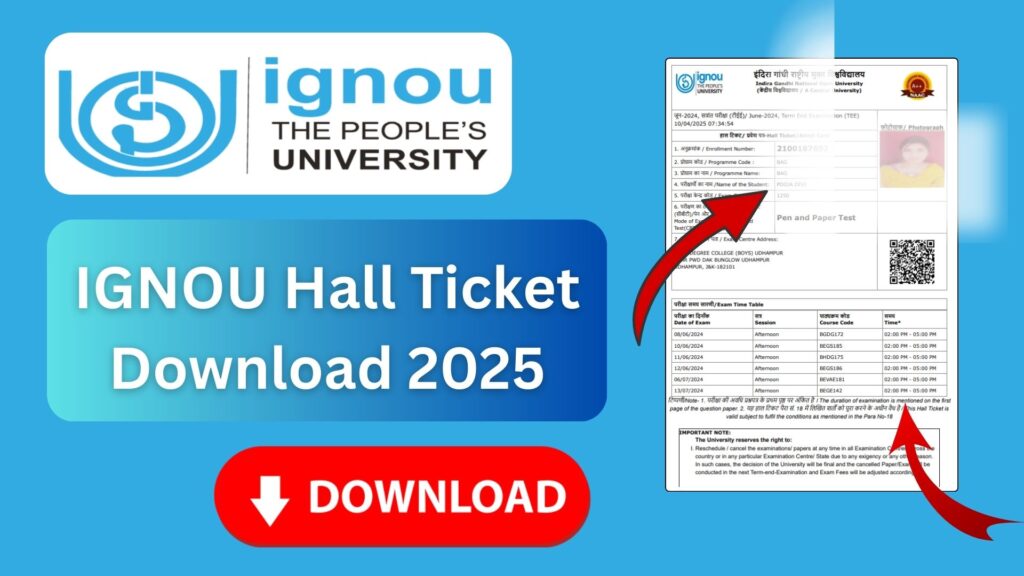
IGNOU Hall Ticket Download: Appearing for term-end examinations at Indira Gandhi National Open University (IGNOU) requires a valid hall ticket. Whether you are enrolled in an undergraduate, postgraduate, diploma, certificate, or doctoral course, downloading the hall ticket is mandatory before you can sit for the exam. Every year, lakhs of IGNOU learners search for the correct process, important links, updates, and instructions related to hall ticket download. This detailed article explains everything clearly so that you never face any stress or confusion during exam season.
This guide covers the full procedure to download the IGNOU hall ticket, troubleshooting tips, frequently asked questions, common mistakes students make, and important instructions before entering the examination hall. You will also find a table containing official and helpful links for easy access.

The official link to download your IGNOU Hall Ticket is:
Download IGNOU Hall Ticket: https://ignou.samarth.edu.in/
What Is IGNOU Hall Ticket?
The hall ticket (or admit card) is an official exam document issued by IGNOU before the Term End Examination (TEE). It contains essential student information such as:
- Name of the student
- Enrollment number
- Program code
- Exam center code and address
- Date and timing of each course exam
- Exam day instructions
- Signature and verification instructions
Without the hall ticket, students will not be allowed to enter the exam center. It works as a mandatory identification document along with a valid government ID such as Aadhaar, PAN, voter ID, or driving license.
Why Is the IGNOU Hall Ticket Important?
Many students underestimate the importance of the hall ticket until the last moment. Here are the top reasons why it is crucial:
1. Entry Pass for the Exam Hall
The exam center authorities check your hall ticket before allowing you to sit for the exam. If you forget it, you will not be allowed entry.
2. Contains Your Exam Schedule
Your date sheet for enrolled courses is printed on the hall ticket. This helps you keep track of exam timings and avoid confusion.
3. Displays Exam Center Details
Students may be assigned exam centers different from their chosen preferences. The hall ticket shows:
- Exact center address
- Center code
- Room details
This helps you reach the center on time.
4. Verify Course Codes
The hall ticket ensures that you appear only for the courses you are eligible for based on registration and assignment submission.
5. Identity Verification
Center officials match the details on your hall ticket with your ID proof to ensure exam security.
IGNOU Hall Ticket: When Is It Released?
IGNOU generally releases the hall ticket 7–15 days before the Term End Examination. The release schedule is as follows:
- June TEE: Hall ticket usually released in late May
- December TEE: Hall ticket usually released in late November
Students must keep checking the official website, especially close to exam dates.
How to Download IGNOU Hall Ticket? – Step-by-Step Guide
Downloading the hall ticket is simple. Follow the steps below carefully.
Step 1: Visit the Official Hall Ticket Page
Go to the official IGNOU hall ticket download website:
This is the only official and valid link for downloading hall tickets.
Step 2: Choose Your Exam Session
Select the exam session you are appearing for, such as:
- TEE June
- TEE December
- Entrance exam hall ticket
- Practical exam hall ticket
Step 3: Enter Your Enrollment Number
Type your 9 or 10-digit enrollment number exactly as given in your ID card.
Step 4: Select Your Program Code
From the drop-down list, choose the correct program such as:
- BAG
- BCOMG
- BCA
- MCA
- MEG
- MAH
- MCOM
- PGDHRM
- D.El.Ed
- Certificate programs, etc.
Step 5: Submit the Details
Click on the Submit button.
Step 6: Your Hall Ticket Appears on the Screen
You will now see your hall ticket containing:
- Your name
- Exam center
- Courses
- Exam date and time
Step 7: Download and Print
Click on the download icon and save the PDF.
Always take at least two printed copies to avoid last-minute issues.
Important Instructions Mentioned on the IGNOU Hall Ticket
The hall ticket includes several guidelines such as:
- Reach the exam center at least 30 minutes before the exam.
- Carry a valid photo ID along with the hall ticket.
- Mobile phones are not allowed in the exam hall.
- Do not carry any study material, notes, or electronic devices.
- Follow all COVID or health-related instructions (if applicable).
- Check the seating arrangement displayed at the center.
Failure to follow these rules may lead to disqualification.
Common Problems Faced While Downloading the Hall Ticket
Sometimes, students face issues during download. Here are common causes and solutions.
1. Enrollment Number Not Found
This may happen due to:
- Incorrect enrollment number
- Academic fee not paid
- Assignment marks not updated
- Registration not valid
What to do:
Recheck the number and ensure registration validity.
2. Website Not Opening
During peak season, servers may be slow.
Solution:
Try again after some time or use another browser.
3. Blank Hall Ticket
A blank PDF is usually due to system delays.
Solution:
Download after a few hours.
4. Missing Courses
If one or more course codes are missing, it may indicate:
- Assignment not submitted
- Exam form not filled correctly
- Wrong program code selected
What to Do If Your IGNOU Hall Ticket Has Errors?
If you notice wrong details like incorrect name, course code mismatch, or wrong exam center, immediately contact:
- Your regional center
- The exam helpline
- IGNOU Samarth support
Carry your ID card, enrollment number, and exam form details for verification.
IGNOU Exam Day Checklist
To avoid any hassle on the exam day, ensure you have:
- Printed hall ticket
- Valid ID proof
- Pen, pencil, eraser
- Water bottle (if allowed)
- Correct knowledge of exam timing and center location
- Reached the center at least 30 minutes early
Important IGNOU Links and Information
| Purpose | Link / Information |
|---|---|
| Download IGNOU Hall Ticket | https://ignou.samarth.edu.in/ |
| Official IGNOU Website | https://ignou.ac.in/ |
| Assignment Submission Portal | Based on Regional Center |
| Grade Card Page | https://gradecard.ignou.ac.in/ |
| Exam Form Submission | https://exam.ignou.ac.in/ |
| Assignment Question Papers | https://webservices.ignou.ac.in/assignments/ |
| Study Material (EGYAN KOSH) | https://egyankosh.ac.in/ |
| Previous Year Question Papers | https://webservices.ignou.ac.in/Pre-Question/ |
| Student Registration Status | https://admission.ignou.ac.in/changeadmdata/admissionstatusnew.asp |
Tips to Ensure a Smooth Exam Experience
Here are some useful tips:
1. Download Early
Do not wait until the last day to download your hall ticket.
2. Check All Course Codes
Match the hall ticket with your exam form to verify accuracy.
3. Visit the Exam Center Once
If possible, visit the exam center a day before the exam.
4. Keep Digital Copy
Save a soft copy on your phone or email.
5. Follow Exam Rules Strictly
Any form of indiscipline can lead to cancellation.
FAQ about IGNOU Hall Ticket Download 2025
How can I download my IGNOU hall ticket?
Visit https://ignou.samarth.edu.in/ and enter your enrollment number and program code.
When will IGNOU release the June and December hall tickets?
Hall tickets are usually released 7 to 15 days before the start of examinations.
Can I appear in the exam without a hall ticket?
No. Hall ticket and ID proof are mandatory.
What if my hall ticket is not showing some subjects?
It may be due to pending assignments or incorrect exam form submission.
Will IGNOU send hall tickets by post?
No. Hall tickets are available only online.
What to do if the website is not opening?
Try again after some time or use a different browser.
Is a digital copy of the hall ticket accepted?
Most centers require a printed copy. It is safer to carry printouts.
Which ID proof should I carry with my hall ticket?
You can use Aadhaar card, voter ID, PAN card, or any government-issued ID.
My name is spelled incorrectly on the hall ticket. What now?
Contact your regional center immediately for correction.
Can I change my exam center after downloading the hall ticket?
Generally, exam center changes are not allowed after hall ticket release.
Conclusion
Downloading the IGNOU hall ticket is one of the most important steps before appearing for the Term End Examination. It ensures a smooth, organized, and stress-free exam experience. Students must regularly monitor the official portal, download their hall tickets on time, check all details carefully, and follow examination guidelines strictly. IGNOU’s digital platform makes the hall ticket process simple, but learners must remain alert and responsible.
Use the official hall ticket link below whenever the university announces the release:
Download Hall Ticket:
https://ignou.samarth.edu.in/
By following all instructions mentioned in this guide, students can avoid last-minute hassles and write their exams confidently.
If you need a detailed guide on assignments, registration, study material, or exam forms, you can refer to other IGNOU-related articles on your blog.