
IGNOU Assignment Front Page 2026: Complete Guide for Students

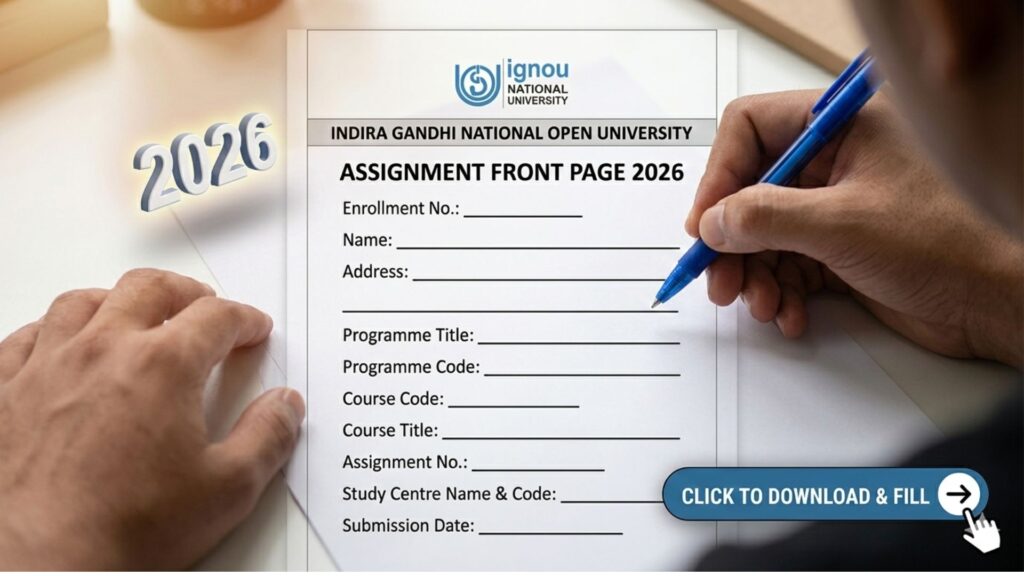
IGNOU Assignment Front Page 2026: Assignments play a very important role in the academic evaluation system of the Indira Gandhi National Open University (IGNOU). Every student enrolled in IGNOU must submit assignments for each course before appearing in the term-end examination. These assignments carry significant weightage in the final result and help the university evaluate a student’s understanding of the subject.
One of the most important requirements while submitting assignments is attaching the IGNOU Assignment Front Page. Many students ignore this part or submit assignments without the proper cover page, which may create issues during evaluation. The assignment front page acts as an identification sheet that contains essential details about the student and the course.

In this detailed article, we will explain everything about the IGNOU assignment front page, including its importance, required details, format, how to download it, how to fill it correctly, and the common mistakes students should avoid.
What is the IGNOU Assignment Front Page?
The IGNOU Assignment Front Page is a cover sheet attached to the first page of every assignment submitted by the student. It contains important information related to the student and the subject so that the evaluator can easily identify the assignment.
The front page ensures that the assignment is properly recorded and evaluated. Without the correct information on the cover page, the assignment may not be properly processed, which can delay the result.
Each assignment submitted to IGNOU should have its own front page. If you are submitting assignments for multiple subjects, you must attach a separate front page for each subject.
Why the IGNOU Assignment Front Page is Important?
The assignment front page serves multiple purposes in the evaluation process. It ensures that the assignment reaches the correct evaluator and that the marks are recorded against the correct student.
Here are some key reasons why the assignment front page is important:
1. Student Identification
The front page includes your enrollment number, name, and program code. This helps the evaluator identify the student who submitted the assignment.
2. Course Identification
Each assignment belongs to a specific course. The front page contains the course code and course title, which helps the evaluator categorize the assignment correctly.
3. Study Centre Identification
The study centre code mentioned on the front page ensures that the assignment is submitted to the correct centre.
4. Record Maintenance
IGNOU keeps records of all assignments submitted by students. The front page helps maintain these records properly.
5. Smooth Evaluation Process
When all necessary information is clearly written on the front page, the evaluation process becomes easier and faster.
Details Required in the IGNOU Assignment Front Page
Students must carefully fill all the required details on the assignment cover page. Incorrect or incomplete information can create issues in the evaluation process.
The following details are usually required on the IGNOU assignment front page:
- Student Name
- Enrollment Number
- Program Code
- Course Code
- Course Title
- Assignment Number
- Study Centre Code
- Study Centre Name
- Session (Year)
- Mobile Number
- Email ID
- Student Signature
- Date of Submission
Each of these details should be written clearly and correctly.
Important Links and Information
Below is a table containing useful links and information related to IGNOU assignments.
| Information | Details |
|---|---|
| Assignment Front Page Download | https://www.bookhouseadda.com/ignou-assignment-front-page/ |
| Assignment Submission Mode | Offline or Online (depends on study centre) |
| Assignment Submission Deadline | Usually before Term-End Examination |
| Required for Exam | Yes, assignment submission is mandatory |
| Weightage in Final Marks | Around 30% |
| Evaluation Authority | IGNOU Study Centre / Regional Centre |
| Format | Printed or handwritten details |
Students should always download the latest format of the assignment front page before submitting their assignments.
How to Download the IGNOU Assignment Front Page?
Downloading the IGNOU assignment front page is very simple. Follow the steps below:
Step 1: Visit the Download Page
Go to the official download page:
https://bookhouseadda.com/ignou-assignment-front-page/
Step 2: Locate the Download Option
You will find the assignment front page format available for download.
Step 3: Download the PDF File
Click the download button and save the PDF file on your device.
Step 4: Print the Front Page
Take a printout of the downloaded file.
Step 5: Fill the Required Details
Write the necessary information carefully before attaching it to your assignment.
How to Fill the IGNOU Assignment Front Page Correctly?
Students should fill the front page carefully and ensure that all details are accurate.
1. Write Your Full Name
Write the same name that appears on your IGNOU ID card.
2. Enter Enrollment Number
The enrollment number is a unique number assigned to each IGNOU student. Write it correctly without any mistakes.
3. Mention Program Code
Program code refers to the course you are pursuing, such as BA, BCOM, MA, MCOM, etc.
4. Write Course Code
Each subject has a course code. For example, BEGE-101 or MPS-001.
5. Write the Course Title
Mention the full name of the subject.
6. Assignment Number
Some courses have multiple assignments. Mention the correct assignment number.
7. Study Centre Code
Write the code of the study centre where you are submitting the assignment.
8. Session
Mention the session or year of submission.
9. Contact Information
Provide your mobile number and email ID.
10. Signature and Date
Sign the front page and write the submission date.
Format of the IGNOU Assignment Front Page
The assignment front page generally contains the following structured information:
Student Name
Enrollment Number
Program Code
Course Code
Course Title
Assignment Number
Study Centre Code
Study Centre Name
Mobile Number
Email ID
Session
Date
Signature
Students must attach this page as the first page of their assignment.
Instructions for Preparing IGNOU Assignments
To ensure that your assignments are accepted and evaluated properly, follow these guidelines.
1. Write Assignments in Your Own Handwriting
IGNOU generally requires assignments to be handwritten unless specified otherwise.
2. Use A4 Size Paper
Assignments should be written on A4 sheets.
3. Use Blue or Black Pen
Avoid using multiple colors.
4. Write Clearly
Your handwriting should be neat and readable.
5. Follow the Question Order
Write answers in the same order as given in the assignment.
6. Attach Front Page Properly
The assignment front page must be the first page.
7. Staple the Assignment
Staple the pages properly to avoid losing pages.
8. Submit Before Deadline
Late submissions may not be accepted.
Common Mistakes Students Should Avoid
Many students make simple mistakes while submitting assignments. Avoid the following errors:
1. Not Attaching the Front Page
Assignments without a front page may not be accepted.
2. Incorrect Enrollment Number
Writing the wrong enrollment number can result in marks not being recorded.
3. Missing Course Code
Always mention the correct course code.
4. Illegible Handwriting
Poor handwriting can make evaluation difficult.
5. Submitting After Deadline
Late submissions may not be considered.
6. Mixing Multiple Subjects
Do not combine assignments of different subjects together.
Tips for Scoring Good Marks in IGNOU Assignments
Assignments contribute a good percentage to your final marks. Follow these tips to score better.
Understand the Question
Read the question carefully before writing the answer.
Use Proper Structure
Divide answers into introduction, main body, and conclusion.
Use Headings
Headings improve readability.
Write Relevant Content
Avoid writing unnecessary information.
Keep Answers Clear
Use simple and clear language.
Maintain Word Limit
Try to stay within the suggested word limit.
Role of Assignments in IGNOU Evaluation
Assignments form a major part of the IGNOU evaluation system. Students must pass both assignments and the term-end examination separately.
The assignment marks are combined with exam marks to calculate the final grade.
For example:
- Assignment marks: 30%
- Term-end examination: 70%
This system encourages students to study continuously throughout the course.
What Happens After Assignment Submission
After submitting the assignments, the study centre sends them for evaluation. The evaluator checks the answers and assigns marks.
Once evaluated, the marks are uploaded to the IGNOU system. Students can later check their assignment status and marks online.
The evaluation process may take several weeks depending on the study centre.
FAQ about IGNOU Assignment Front Page 2026
Is the IGNOU assignment front page mandatory?
Yes, the assignment front page is mandatory. Without it, the assignment may not be accepted for evaluation.
Can I write the front page manually?
Yes, you can either print the front page and fill it manually or write the same format by hand.
Do I need a separate front page for each assignment?
Yes, each course assignment must have its own front page.
Where can I download the IGNOU assignment front page?
You can download it from:
https://bookhouseadda.com/ignou-assignment-front-page/
Can I submit assignments without mentioning the study centre code?
No, the study centre code is an important detail and must be mentioned.
Is it necessary to write assignments by hand?
In most cases, IGNOU requires handwritten assignments unless stated otherwise.
What happens if I submit assignments late?
Late submissions may not be accepted, which can prevent you from appearing in the term-end examination.
Can I submit typed assignments?
Generally, assignments must be handwritten unless the university provides special instructions.
Conclusion
The IGNOU Assignment Front Page is an essential component of assignment submission. It contains important information about the student, the course, and the study centre, which helps in the proper evaluation and record maintenance of assignments.
Students must ensure that the front page is attached to every assignment and that all details are filled correctly. Mistakes such as incorrect enrollment numbers, missing course codes, or incomplete information can lead to problems during evaluation.
Before submitting your assignments, always verify that the front page is properly filled and attached. This simple step can help avoid unnecessary delays and ensure that your assignment marks are recorded correctly.
To download the latest IGNOU assignment front page format, visit the following link: https://bookhouseadda.com/ignou-assignment-front-page/
By following the correct format and submission guidelines, students can complete their assignment process smoothly and focus on preparing for their term-end examinations.