
IGNOU Assignment Status 2026: Check Submission, Marks & Updates

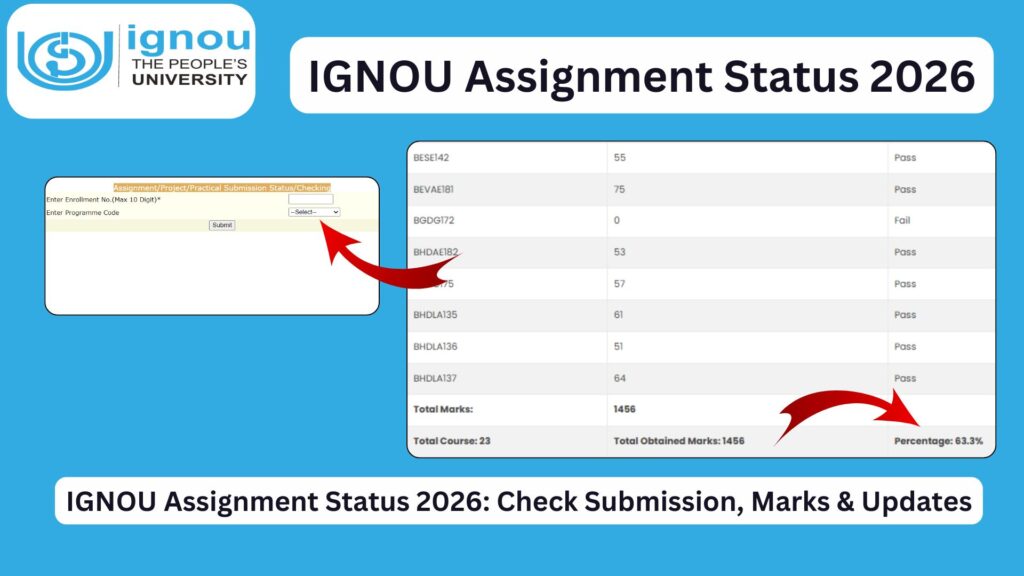
IGNOU Assignment Status 2026: Indira Gandhi National Open University (IGNOU) is one of the largest distance learning universities in the world, offering a wide range of undergraduate, postgraduate, diploma, and certificate programs. A crucial part of every IGNOU course is the submission of assignments, which carry significant weight in the final evaluation.
Students often face confusion about whether their assignments have been submitted successfully, evaluated, or updated in the system. This is where the IGNOU Assignment Status portal becomes essential.

In this comprehensive guide, you will learn everything about IGNOU assignment status, how to check it, common issues, timelines, and how to verify your marks and percentage.
What is IGNOU Assignment Status?
IGNOU Assignment Status is an online system that allows students to check whether their submitted assignments have been received, evaluated, and updated by the university.
After submitting your assignments at your study center or online (depending on guidelines), IGNOU processes them and updates their status in the official system. This status includes:
- Submission confirmation
- Evaluation status
- Marks obtained
- Completion status
Importance of IGNOU Assignments
Assignments are not just a formality in IGNOU; they play a crucial role in your academic performance.
Key Importance:
- Mandatory Requirement: You must submit assignments to be eligible for term-end exams (TEE).
- Weightage: Assignments generally carry 30% weight in your final result.
- Internal Assessment: They reflect your understanding of the subject.
- Result Completion: Without assignment marks, your result remains incomplete.
How to Check IGNOU Assignment Status 2026?
You can easily check your assignment status online by following these steps:
Step-by-Step Process:
- Visit the official assignment status portal:
http://isms.ignou.ac.in/changeadmdata/StatusAssignment.asp - Enter your Enrollment Number
- Select your Program Code
- Click on the Submit button
- Your assignment status will appear on the screen
Details Mentioned in Assignment Status
Once you check your status, you will see several details such as:
- Enrollment Number
- Program Code
- Course Code
- Assignment Submission Status
- Marks Obtained
- Evaluation Date
- Remarks (if any)
IGNOU Assignment Status Meaning Explained
Understanding the status messages is important. Here are the common statuses and their meanings:
1. Not Found / Not Updated
- Your assignment data has not yet been uploaded.
- Wait for a few days or weeks.
2. Received but Not Evaluated
- IGNOU has received your assignment but has not yet checked it.
3. Evaluated
- Your assignment has been checked, and marks are assigned.
4. Completed
- The assignment process is fully completed.
IGNOU Assignment Marks and Percentage
After your assignments are evaluated, you can also calculate your percentage and track your academic performance.
Use this tool to check marks and percentage:
https://www.bookhouseadda.com/ignou-percentage/
This helps you:
- Calculate subject-wise percentage
- Track overall academic progress
- Plan improvement strategies
How Long Does IGNOU Take to Update Assignment Status?
IGNOU usually takes time to update assignment status. The timeline may vary depending on several factors.
Typical Timeline:
- After Submission: 20 to 45 days
- Peak Session (TEE Time): 30 to 60 days
- Delayed Cases: Up to 90 days
Reasons for Delay:
- Large number of submissions
- Manual evaluation process
- Study center delays
- Data entry backlog
What to Do If Assignment Status is Not Updated?
If your assignment status is not updated even after a long time, follow these steps:
1. Wait Patiently
- IGNOU updates are often delayed
2. Contact Study Center
- Visit or call your study center
- Provide submission proof
3. Email Regional Center
- Send an email with details:
- Enrollment Number
- Course Code
- Submission Date
4. Keep Proof Ready
- Always keep:
- Submission receipt
- Email confirmation (if submitted online)
Common Issues Faced by Students
Many students face problems while checking assignment status. Here are some common issues:
1. Incorrect Enrollment Number
- Always double-check your details
2. Wrong Program Code
- Ensure correct program selection
3. Website Not Working
- Try again during non-peak hours
4. Partial Status Display
- Some subjects may show status later
Tips to Ensure Smooth Assignment Submission
To avoid issues with assignment status, follow these best practices:
- Submit assignments before the deadline
- Write clearly and neatly
- Attach required documents
- Take submission receipt
- Keep a copy of your assignment
- Follow IGNOU guidelines strictly
IGNOU Assignment Status vs Grade Card
Many students confuse assignment status with grade card. Here is the difference:
| Feature | Assignment Status | Grade Card |
|---|---|---|
| Shows submission | Yes | No |
| Shows marks | Yes | Yes |
| Shows exam marks | No | Yes |
| Final result | No | Yes |
How Assignment Marks Affect Final Result?
Your final result in IGNOU is calculated based on:
- Assignment Marks (30%)
- Term-End Exam Marks (70%)
If you fail to submit assignments:
- You cannot appear in exams
- Your result will be incomplete
- You may need to re-submit assignments
Re-Submission of IGNOU Assignments
If you fail or do not submit assignments:
When to Re-submit:
- Next session (June/December)
Steps:
- Download new question paper
- Prepare fresh assignment
- Submit before deadline
IGNOU Assignment Status for Online and Offline Submission
IGNOU accepts both online and offline submissions depending on the situation.
Offline Submission:
- Submitted at study center
- Manual update may take time
Online Submission:
- Uploaded via email or portal
- Faster processing but depends on verification
IGNOU Assignment Status for Different Programs
Assignment status checking process is the same for all programs:
- BA
- BCom
- BSc
- MA
- MCom
- MBA
- Diploma and Certificate courses
FAQ about IGNOU Assignment Status 2026
How can I check IGNOU assignment status?
You can check it online using this link:
http://isms.ignou.ac.in/changeadmdata/StatusAssignment.asp
How long does it take to update assignment status?
It usually takes 20 to 45 days, but sometimes up to 90 days.
What if my assignment status shows “Not Found”?
It means your data is not yet updated. Wait or contact your study center.
Can I appear in exams without submitting assignments?
No, assignment submission is mandatory for exam eligibility.
How to check IGNOU assignment marks and percentage?
You can use this tool:
https://www.bookhouseadda.com/ignou-percentage/
What should I do if marks are not updated?
Contact your study center or regional center with proof of submission.
Is assignment status the same as grade card?
No, assignment status shows assignment details, while grade card shows final results.
Can assignment marks be changed?
Yes, if there is an error, you can request re-evaluation through your study center.
Conclusion
IGNOU Assignment Status is a vital tool for every student pursuing distance education. It helps you track your assignment submission, evaluation progress, and marks. Since assignments contribute significantly to your final result, keeping track of their status is essential.
Students should regularly check their assignment status using the official portal and ensure that their marks are updated correctly. In case of any delay or discrepancy, timely action such as contacting the study center or regional center can prevent future complications.
To avoid issues, always submit assignments on time, keep proper records, and stay updated with IGNOU notifications. Monitoring your assignment status and marks will ensure a smooth academic journey and help you achieve better results.