
IGNOU Grade Card 2026: Complete Guide to Check, Understand, and Download Your Results

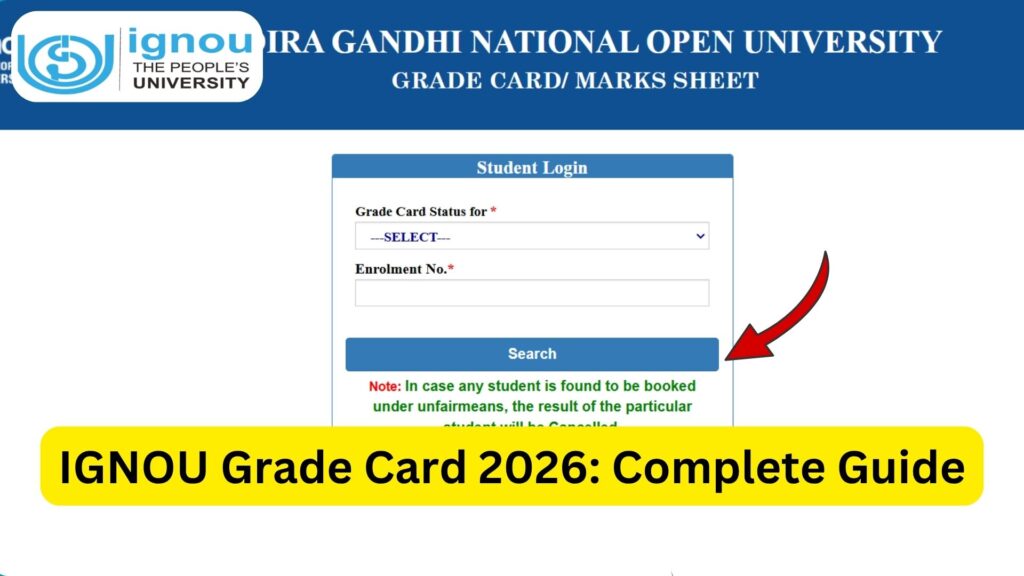
IGNOU Grade Card 2026: The Indira Gandhi National Open University (IGNOU) follows a unique evaluation system that combines assignments, term-end examinations, and practicals. One of the most important documents for students is the IGNOU Grade Card, which reflects their academic performance in a structured and transparent manner.

If you are an IGNOU student, understanding how to check and interpret your grade card is essential for tracking your progress and ensuring successful completion of your course. This comprehensive guide will walk you through everything you need to know about the IGNOU Grade Card 2026, including how to check it, details mentioned, grading system, common issues, and solutions.
What is IGNOU Grade Card?
The IGNOU Grade Card is an official document that displays the marks and grades obtained by a student in:
- Assignments
- Term-End Examinations (TEE)
- Practical Exams (if applicable)
It provides a complete overview of your academic performance for each course in your program. The grade card is updated periodically after results and assignment evaluations are processed.
Why is the IGNOU Grade Card Important?
The grade card plays a crucial role in your academic journey for several reasons:
- It confirms whether you have passed or failed in a subject.
- It shows your assignment and exam marks separately.
- It helps track course completion status.
- It is required for applying for a degree or certificate.
- It ensures transparency in evaluation.
Without a properly updated grade card, you cannot complete your program or move forward academically.
How to Check IGNOU Grade Card 2026?
Students can check their IGNOU Grade Card online using the official portal. Follow these simple steps:
- Visit the official grade card page:
https://www.bookhouseadda.com/ignou-grade-card/ - Enter your Enrollment Number.
- Select your Program Code.
- Click on the “Submit” button.
- Your grade card will be displayed on the screen.
You can download or print it for future reference.
Details Mentioned in IGNOU Grade Card
Your IGNOU Grade Card contains several important details:
- Enrollment Number
- Program Code
- Course Code
- Assignment Marks
- Term-End Exam Marks
- Practical Marks (if applicable)
- Status (Completed / Not Completed)
Each course is listed separately with its respective marks and completion status.
Important Links and Information
Below is a table containing essential links and key details related to IGNOU Grade Card 2026:
| Purpose | Link / Information |
|---|---|
| Check IGNOU Grade Card | https://www.bookhouseadda.com/ignou-grade-card/ |
| IGNOU Official Website | https://www.ignou.ac.in |
| Minimum Passing Marks | 40% in Assignment and TEE separately |
| Assignment Weightage | 30% |
| Term-End Exam Weightage | 70% |
| Grade Card Update Frequency | After result declaration and assignment evaluation |
| Result Declaration Period | June TEE: August–September, December TEE: February–March |
| Re-evaluation Option | Available for Term-End Exams only |
| Completion Status | Shows whether course is completed or pending |
Understanding the IGNOU Grading System
IGNOU follows a grading system instead of just marks. Here is a general breakdown:
| Percentage Range | Grade | Performance |
|---|---|---|
| 80% and Above | A | Excellent |
| 60% – 79% | B | Very Good |
| 50% – 59% | C | Good |
| 40% – 49% | D | Satisfactory |
| Below 40% | E | Fail |
To pass a course, you must secure at least 40% marks in both assignments and term-end exams separately.
What Does “Completed” and “Not Completed” Mean?
Completed
This means you have successfully passed both the assignment and term-end exam for that subject.
Not Completed
This indicates that:
- You have failed in either assignment or exam, or
- One of the components is missing
You must clear all components to change the status to “Completed.”
When is the IGNOU Grade Card Updated?
The grade card is updated in phases:
- After assignment evaluation
- After term-end exam results
- After practical exam marks are uploaded
Sometimes, assignment marks and exam results are updated at different times, so your grade card may appear incomplete initially.
Common Issues with IGNOU Grade Card and Their Solutions
1. Assignment Marks Not Updated
Reason: Delay in evaluation or data entry
Solution:
- Wait for a few weeks
- Contact your study centre if the delay is excessive
2. Term-End Exam Marks Missing
Reason: Results not declared yet
Solution:
- Wait for official result updates
- Check again after a few days
3. Status Showing “Not Completed” Despite Passing
Reason: One component (assignment or exam) not updated
Solution:
- Verify marks in both sections
- Wait for complete update
4. Incorrect Marks in Grade Card
Solution:
- Apply for re-evaluation (only for term-end exams)
- Contact IGNOU regional centre
IGNOU Re-evaluation Process
If you are not satisfied with your term-end exam marks, you can apply for re-evaluation:
- Available only for theory exams
- Must apply within 30 days of result declaration
- Requires a prescribed fee
Assignment marks cannot be re-evaluated.
IGNOU Grade Card vs Result
Many students confuse the grade card with the result. Here is the difference:
- Result: Shows marks obtained in term-end exams only
- Grade Card: Shows complete performance including assignments and practicals
The grade card is more comprehensive and final.
Tips to Maintain a Good IGNOU Grade Card
- Submit assignments on time
- Prepare thoroughly for term-end exams
- Follow IGNOU guidelines carefully
- Keep track of updates regularly
- Maintain copies of all submissions
What to Do After Grade Card is Completed?
Once all courses show “Completed” in your grade card:
- Apply for your degree or certificate
- Verify all marks are correct
- Keep a printed copy for records
Your academic journey with IGNOU is considered complete only after all courses are cleared.
FAQ about IGNOU Grade Card 2026
How can I check my IGNOU Grade Card 2026?
You can check it online using your enrollment number at:
https://www.bookhouseadda.com/ignou-grade-card/
What are the passing marks in IGNOU?
You must score at least 40% in both assignments and term-end exams separately.
Why is my grade card showing “Not Completed”?
It means you have not passed or completed one of the required components.
How long does it take to update the grade card?
It may take a few weeks after results and assignment evaluation.
Can I apply for re-evaluation of assignments?
No, re-evaluation is allowed only for term-end exams.
Is the grade card the final result?
Yes, it reflects your overall academic performance.
What should I do if marks are missing?
Wait for updates or contact your study centre or regional centre.
Can I download my grade card?
Yes, you can view and print it from the official portal.
Conclusion
The IGNOU Grade Card 2026 is a crucial document that determines your academic success and course completion. It provides a complete overview of your performance, including assignments, exams, and practicals.
Understanding how to check and interpret your grade card can save you from unnecessary confusion and delays. Always monitor your grade card regularly, ensure all marks are updated, and take timely action if you notice any discrepancies.
By staying proactive and informed, you can smoothly complete your IGNOU program and move forward in your academic or professional journey without obstacles.