
IGNOU ID Card Download 2026: Complete Step-by-Step Guide

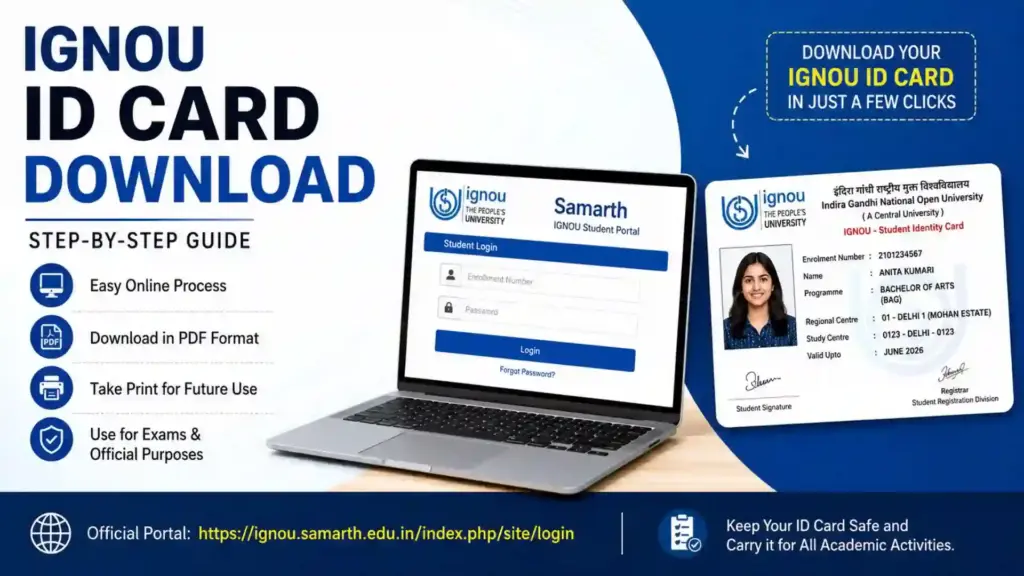
IGNOU ID Card Download 2026: The IGNOU ID card is one of the most important documents for every student enrolled at the Indira Gandhi National Open University. Whether you are pursuing a bachelor’s degree, master’s degree, diploma, certificate, or any other program, carrying your IGNOU identity card is mandatory for academic and examination-related activities.
Students often search for the process of downloading the IGNOU ID card after admission confirmation. Fortunately, IGNOU has made the process simple through its online student portal. Once your admission is confirmed, you can log in to the IGNOU Samarth portal and download your ID card in PDF format.

In this article, you will learn everything about the IGNOU ID card download process, eligibility, required details, common issues, important instructions, and frequently asked questions.
What is the IGNOU ID Card?
The IGNOU ID card is an official identity document issued to students after successful admission to IGNOU programs. It contains important student information such as:
- Student name
- Enrollment number
- Program code
- Photograph
- Regional center details
- Study center information
- Validity details
The ID card acts as proof of identity for students throughout their academic session.
Why is the IGNOU ID Card Important?
The IGNOU ID card is required for several academic and administrative purposes. Without it, students may face difficulties in accessing university services.
Uses of IGNOU ID Card
- Entry into examination centers
- Submission of assignments
- Attending practical sessions
- Accessing study centers
- Using library facilities
- Verification during term-end examinations
- Communication with regional centers
- Identity proof for university activities
Students are advised to keep both digital and printed copies of their ID cards safe.
IGNOU ID Card Download Link
Students can download their IGNOU ID card directly from the official Samarth portal using the link below:
IGNOU Samarth Student Login Portal
Important Links and Information
| Purpose | Details |
|---|---|
| University Name | Indira Gandhi National Open University (IGNOU) |
| Official Student Portal | IGNOU Samarth Portal |
| Document Name | IGNOU ID Card |
| Mode of Download | Online |
| Required Credentials | Enrollment Number and Password |
| File Format | |
| Availability | After Admission Confirmation |
| Print Requirement | Recommended |
| Usage | Exams, Assignments, Study Center Verification |
| Official Website | IGNOU Official Website |
How to Download IGNOU ID Card Online?
Students can easily download their IGNOU ID card by following the steps mentioned below.
Step 1: Visit the IGNOU Samarth Portal
Open the official student login portal:
Step 2: Enter Login Credentials
On the login page, enter the following details:
- Enrollment Number
- Password
After entering the details, click on the “Login” button.
Step 3: Open Student Dashboard
Once logged in successfully, the student dashboard will appear on the screen.
Here, students can access various services such as:
- Admission status
- Assignment details
- Examination forms
- ID card
- Academic records
Step 4: Click on “ID Card”
Locate the “ID Card” option in the dashboard menu.
Click on it to open the ID card section.
Step 5: Download the PDF
Your IGNOU ID card will appear on the screen in PDF format.
Click the “Download” option to save the file on your device.
Step 6: Print the ID Card
After downloading the PDF, take a clear printout of the ID card. Students are advised to laminate the printed copy for safety and long-term use.
Details Mentioned on IGNOU ID Card
Students should carefully verify all the details printed on the ID card after downloading it.
Information Included on IGNOU ID Card
- Student’s Full Name
- Enrollment Number
- Program/Course Name
- Regional Center Code
- Study Center Code
- Student Photograph
- Signature
- Session Details
If any information is incorrect, students should immediately contact their regional center.
When is the IGNOU ID Card Available?
The IGNOU ID card becomes available only after the admission process is successfully completed and verified by the university.
Generally, students can download their ID cards:
- A few days after admission confirmation
- After payment verification
- Once enrollment number is generated
If your ID card is not visible, wait for some time and check again later.
Forgot IGNOU Samarth Password? Here’s How to Reset It
Many students face login problems because they forget their passwords. IGNOU provides an easy password reset option.
Steps to Reset Password
- Visit the IGNOU Samarth login page
- Click on “Forgot Password”
- Enter your registered email ID or username
- Follow the instructions received on your email
- Create a new password
After resetting the password, log in again to download the ID card.
Common Problems While Downloading IGNOU ID Card
Students may sometimes face issues while downloading the ID card. Below are some common problems and solutions.
1. Invalid Login Credentials
Solution:
- Recheck enrollment number
- Ensure correct password entry
- Reset password if needed
2. ID Card Not Showing
Solution:
- Wait for admission confirmation
- Check admission status
- Try after 24–48 hours
3. Website Not Opening
Solution:
- Use a stable internet connection
- Clear browser cache
- Try another browser
4. PDF Not Downloading
Solution:
- Allow pop-ups in browser settings
- Update PDF reader
- Use desktop mode on mobile browsers
Can Students Download IGNOU ID Card on Mobile?
Yes, students can download the IGNOU ID card using smartphones as well.
Recommended Browsers
- Google Chrome
- Mozilla Firefox
- Microsoft Edge
After downloading the PDF on mobile, students can save it in their device storage or upload it to cloud storage for future use.
Is a Printed IGNOU ID Card Mandatory?
Yes, carrying a printed copy of the IGNOU ID card is highly recommended.
Students may be required to show the printed ID card during:
- Term-end examinations
- Practical exams
- Assignment submission
- Viva sessions
- Study center visits
Some examination centers may not accept only digital copies.
IGNOU ID Card for Re-Registered Students
Students who have re-registered for the next year or semester usually do not need a new ID card unless instructed by the university.
However, students should verify whether their existing ID card remains valid for the current academic session.
Difference Between Enrollment Number and Control Number
Many students get confused between these two terms.
| Term | Meaning |
|---|---|
| Enrollment Number | Permanent student identification number issued after admission |
| Control Number | Temporary number generated during admission process |
To download the ID card, students generally need the enrollment number.
Tips for Safe Use of IGNOU ID Card
Students should follow these precautions:
- Keep multiple copies of the ID card
- Save the PDF in email or cloud storage
- Laminate the printed card
- Do not share login credentials publicly
- Verify details immediately after download
IGNOU Regional Centers and Student Verification
If students face any issue related to their ID cards, they can contact their assigned regional center.
Regional centers help students with:
- Incorrect student details
- Missing photographs
- Enrollment issues
- Login problems
- Admission verification
Students should keep their enrollment number ready while contacting the regional center.
Benefits of Online IGNOU ID Card Download
The online system provides several advantages to students.
Major Benefits
- Instant access
- No need to visit regional centers
- Easy re-download option
- Digital storage convenience
- Faster verification process
The online portal has simplified student services significantly.
FAQ about IGNOU ID Card Download 2026
Can I download my IGNOU ID card before admission confirmation?
No, the ID card becomes available only after successful admission confirmation.
What should I do if my photograph is missing on the ID card?
You should contact your regional center immediately for correction.
Is the IGNOU ID card required for exams?
Yes, students must carry the ID card during examinations.
Can I use a digital copy of the ID card?
A digital copy is useful, but carrying a printed copy is recommended.
What if I forget my login password?
You can reset it using the “Forgot Password” option on the Samarth portal.
Can old students use the same ID card?
In many cases, yes. However, students should verify the validity for their current session.
Concluion
The IGNOU ID card is an essential document for every student enrolled in the university. From examination entry to assignment submission, the ID card serves as an official identity proof throughout the academic journey.
Students can easily download their ID cards online through the official Samarth portal without visiting any regional center. It is important to verify all details after downloading and keep both digital and printed copies safe.
To download your IGNOU ID card, visit the official portal below: