
IGNOU ID Card Download 2026: Complete Guide for Students

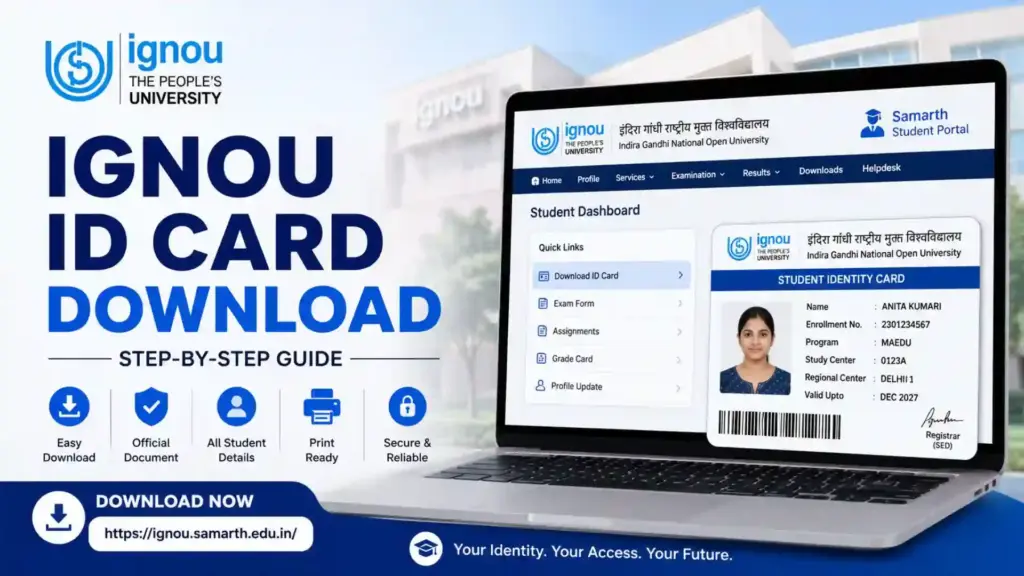
IGNOU ID Card Download: The IGNOU ID card is one of the most important documents for every student enrolled at the Indira Gandhi National Open University. Whether you are pursuing a bachelor’s degree, master’s degree, diploma, certificate course, or any other program, the ID card serves as your official identity within the university system. It is required for examinations, assignment submissions, study center visits, library access, practical sessions, and many other academic activities.
With the introduction of the IGNOU Samarth Portal, students can now download their ID cards online without visiting a regional center. The digital process has made it easier for learners across India and abroad to access their identity cards anytime they need them.

Students often face confusion regarding the login process, portal access, password recovery, PDF downloads, and printing requirements. This guide explains everything in detail, including how to download the IGNOU ID card, common problems students face, troubleshooting methods, important precautions, and answers to frequently asked questions.
What Is an IGNOU ID Card?
The IGNOU ID card is an official identity document issued to students after successful admission confirmation. It contains important details related to the student and their academic program.
Generally, an IGNOU ID card includes:
- Student name
- Enrollment number
- Program code
- Study center information
- Regional center details
- Student photograph
- University information
- Validity details
The card acts as proof that a student is officially enrolled in an IGNOU program. It is considered a mandatory document throughout the duration of the course.
Why Is the IGNOU ID Card Important?
Many students underestimate the importance of their ID card until they are asked to produce it during an examination or university-related process.
The ID card is important for the following reasons:
Examination Entry
Students are often required to carry their ID card along with their hall ticket while appearing for Term-End Examinations (TEE).
Assignment Submission
Many study centers ask students to show their identity card while submitting assignments.
Practical Sessions
Students attending laboratory sessions, workshops, counseling classes, or practical examinations may need to present their ID card.
Library Access
Certain study centers and regional centers require students to show their ID card before using library facilities.
Student Verification
The card serves as proof of admission whenever verification is required.
University Services
Various academic and administrative services may require identity verification through the student ID card.
Official IGNOU ID Card Download Link
Students can download their ID card through the official IGNOU Samarth Portal:
Download Link:
IGNOU Samarth Portal
The portal provides access to several student services including ID card download, examination forms, assignment submission, grade cards, and admission-related information.
How to Download IGNOU ID Card?
Downloading the IGNOU ID card is a straightforward process if your admission has already been confirmed.
Follow these steps carefully.
Step 1: Visit the Official Portal
Open the official IGNOU Samarth Portal:
Step 2: Enter Login Credentials
Log in using your registered credentials.
Typically, students need:
- Enrollment Number
- Password
If you created your account during admission, use the same login information.
Step 3: Access the Student Dashboard
After successful login, you will be redirected to your student dashboard where various services are available.
Step 4: Locate the ID Card Option
Inside the dashboard, look for:
- Services
- Student Profile
- Download ID Card
The exact location may vary slightly depending on portal updates.
Step 5: Generate the ID Card
Click on the ID card option. The system will generate your student identity card in PDF format.
Step 6: Download the PDF
Save the PDF file on your device.
Step 7: Print the Card
Take a clear printout of the ID card and keep both digital and physical copies for future use. Many students also laminate their cards for long-term protection.
Important Information
| Information | Details |
|---|---|
| University Name | Indira Gandhi National Open University (IGNOU) |
| Student Portal | IGNOU Samarth Portal |
| ID Card Download Mode | Online |
| Login Requirement | Enrollment Number and Password |
| ID Card Format | |
| Official Download Link | https://ignou.samarth.edu.in/ |
| Required For | Exams, Assignments, Verification, Library Access |
| Availability | After Admission Confirmation |
| Password Recovery | Available through Forgot Password option |
| Recommended Action | Keep both digital and printed copies |
Important Links
| Purpose | Link |
| IGNOU Samarth Portal | https://ignou.samarth.edu.in/ |
| Student Login | https://ignou.samarth.edu.in/ |
| ID Card Download | https://ignou.samarth.edu.in/ |
| Student Services | https://ignou.samarth.edu.in/ |
| Admission Related Services | https://ignou.samarth.edu.in/ |
When Does the ID Card Become Available?
Students often worry when they cannot find the ID card immediately after admission.
In most cases, the ID card becomes available only after:
- Admission verification is completed
- Enrollment number is generated
- Student profile is activated
- Records are updated in the Samarth system
Some students may need to wait a few days or weeks after admission confirmation before the ID card appears in their dashboard. Community discussions from IGNOU learners also indicate that portal activation can take time for newly admitted students.
Common Problems During IGNOU ID Card Download
Although the process is simple, students frequently encounter certain issues.
ID Card Not Available
Sometimes the portal displays a message indicating that the ID card is unavailable.
Possible reasons include:
- Admission still under verification
- System maintenance
- Temporary portal issues
- Incomplete profile updates
Students have reported similar situations in community discussions, often resolved after portal updates.
Login Error
If login credentials do not work:
- Verify the enrollment number
- Check password accuracy
- Use the correct portal
- Reset password if necessary
Many students mistakenly attempt to log in through the wrong IGNOU portal, which leads to login issues.
PDF Not Opening
Some downloaded ID cards may not open properly.
Possible causes include:
- Incomplete download
- Browser issue
- Corrupted PDF file
- Device compatibility issue
Try downloading the file again using a different browser or device.
Forgotten Password
If you forget your password:
- Open the login page.
- Click “Forgot Password.”
- Enter the required information.
- Follow the reset instructions.
The Samarth Portal provides a password recovery feature for students.
Tips for Safe Storage of Your ID Card
After downloading the ID card, follow these precautions:
- Save multiple copies on different devices.
- Upload a backup copy to cloud storage.
- Keep a printed version.
- Avoid sharing the PDF publicly.
- Verify all details immediately after download.
- Keep the document available during examination periods.
What to Do If Information Is Incorrect?
Sometimes students notice errors in:
- Name spelling
- Program code
- Photograph
- Enrollment number
- Regional center information
If any information is incorrect:
- Contact your regional center.
- Contact student support.
- Submit correction requests through official channels.
- Keep admission records ready for verification.
Never attempt to edit the ID card manually.
Can You Use a Digital Copy?
In many situations, a digital copy stored on a phone or laptop may be useful for quick reference.
However, students should always keep a printed version because examination centers and university officials may require a physical copy.
Difference Between Enrollment Number and ID Card
Many students confuse these two terms.
Enrollment Number
The enrollment number is a unique student identification number assigned by IGNOU.
ID Card
The ID card is a document that contains the enrollment number and other student details.
The enrollment number is part of the ID card but does not replace the ID card itself.
Services Available Through the IGNOU Samarth Portal
The Samarth Portal is not limited to ID card downloads.
Students can also access:
- Admission status
- Assignment submission
- Examination forms
- Hall tickets
- Grade cards
- Re-registration services
- Student profile management
- Academic information
The portal serves as a centralized platform for many student-related services.
Best Practices for IGNOU Students
To avoid future issues:
Download Immediately
Download the ID card as soon as it becomes available.
Verify Details
Check every detail carefully after downloading.
Keep Backups
Store multiple copies for safety.
Monitor Portal Updates
Regularly log in to check announcements and updates.
Maintain Login Credentials
Keep your enrollment number and password secure.
Update Contact Information
Ensure your email address and mobile number remain current.
FAQ about IGNOU ID Card Download 2026
Is the IGNOU ID card mandatory?
Yes. It is an important document used for examinations, verification, assignments, and various academic activities.
Where can I download my IGNOU ID card?
You can download it from the official IGNOU Samarth Portal:
https://ignou.samarth.edu.in/
Can I download the ID card without an enrollment number?
Generally, you need your enrollment number and login credentials to access the portal and download the ID card.
My admission is confirmed but the ID card is not available. What should I do?
Wait for the system to update. If the issue continues, contact your regional center or student support.
Is a printed copy necessary?
Yes. It is advisable to keep a printed copy because it may be required during examinations and academic activities.
Can I use my phone to download the ID card?
Yes. The Samarth Portal can be accessed through mobile devices and computers.
What should I do if I forget my password?
Use the “Forgot Password” option available on the login page and follow the password recovery process.
Can I download the ID card multiple times?
Yes. Students can usually log in and download the document whenever it is available in their account.
Is the digital PDF valid?
The digital PDF is an official document, but keeping a printed copy is strongly recommended.
What if the photograph is missing on my ID card?
Contact IGNOU authorities or your regional center for guidance and correction procedures.
Conclusion
The IGNOU ID card is one of the most important documents every student must possess throughout their academic journey. It serves as official proof of enrollment and is required for examinations, assignment-related activities, identity verification, and access to various university services. Thanks to the IGNOU Samarth Portal, students can now download their ID cards online without visiting a regional center, making the process faster and more convenient.
Students should download their ID card as soon as it becomes available, verify all details carefully, and maintain both digital and printed copies. In case of login issues, missing ID cards, or incorrect information, the Samarth Portal and regional centers provide support mechanisms to help students resolve their concerns. By understanding the download process and following the recommended best practices, IGNOU learners can avoid unnecessary difficulties and ensure a smooth academic experience.