
IGNOU Student Portal 2026: Complete Guide to Login, Registration, Services & Dashboard

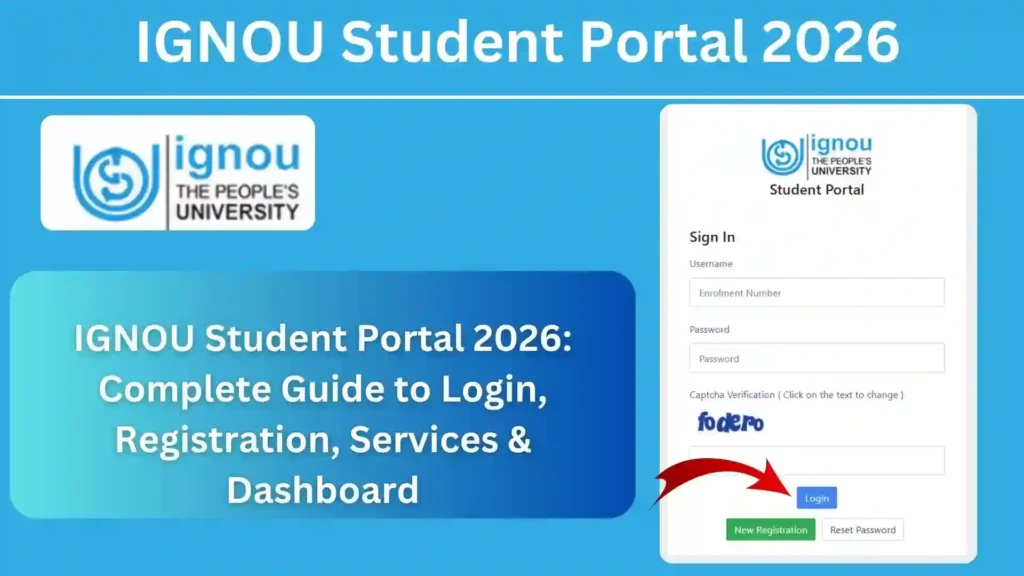
The IGNOU Student Portal is one of the most important online platforms provided by Indira Gandhi National Open University (IGNOU). It allows students to manage almost every academic activity from a single dashboard. Whether you want to check your admission status, update your profile, view course details, submit assignments, download important documents, or monitor your academic progress, the IGNOU Student Portal serves as the central gateway for all these services.
With the introduction of digital services, IGNOU has made it easier for students to access university information without visiting their Regional Centre or Study Centre frequently. Every student enrolled in any undergraduate, postgraduate, diploma, certificate, or doctoral programme should regularly use the IGNOU Student Portal to stay updated with academic notifications and personal records.

In this comprehensive guide, you will learn everything about the IGNOU Student Portal, including its features, benefits, login process, available services, troubleshooting tips, and much more.
Important Links and Information
| Particular | Details |
|---|---|
| Article Name | IGNOU Student Portal |
| University | Indira Gandhi National Open University (IGNOU) |
| Portal Name | IGNOU Student Portal |
| Portal Access | https://ignou.samarth.edu.in/index.php/site/login |
| Login Required | Enrollment Number / Username and Password |
| Available For | All IGNOU Students |
| Services | Admission, Profile, Course Details, Assignments, Results, Grade Card and More |
| Mode | Online |
| Official University Website | https://www.ignou.ac.in |
What is IGNOU Student Portal?
The IGNOU Student Portal is an online platform developed to provide students with easy access to their academic records and university services. Instead of visiting different websites for different tasks, students can access several important services from a single account.
The IGNOU Student Portal helps students manage their educational journey from admission until programme completion. It is designed to simplify communication between the university and students while reducing paperwork and saving time.
Today, almost every IGNOU student depends on the IGNOU Student Portal for checking academic updates, downloading documents, tracking applications, and managing personal information.
Why is the IGNOU Student Portal Important?
The IGNOU Student Portal plays a significant role in helping students stay connected with the university throughout their academic journey.
Some major reasons why the IGNOU Student Portal is important include:
- Easy access to academic records
- Online admission management
- Quick access to student information
- Time-saving online services
- Centralized student dashboard
- Secure login system
- Better academic tracking
- Easy document access
- Reduced need for physical visits
Because almost every important student service is now available online, regularly accessing the IGNOU Student Portal has become essential for all learners.
Who Can Use the IGNOU Student Portal?
The IGNOU Student Portal is available for students enrolled in various IGNOU programmes.
Eligible students include:
- BA
- BCom
- BSc
- BCA
- BSW
- MA
- MCom
- MSc
- MCA
- MBA
- MPA
- MPS
- Diploma Programmes
- Certificate Programmes
- Post Graduate Diploma Programmes
- Doctoral Programmes
- Other IGNOU Courses
Regardless of your programme or year of study, the IGNOU Student Portal provides access to your academic information.
Features of the IGNOU Student Portal
The IGNOU Student Portal includes numerous features designed to improve the student experience.
Some of the major features include:
Student Dashboard
The dashboard provides a complete overview of your academic profile. After logging into the IGNOU Student Portal, students can quickly view important updates and available services.
Personal Profile
Students can view their personal details, including:
- Name
- Enrollment Number
- Programme Name
- Contact Information
- Email Address
- Regional Centre
- Study Centre
Keeping this information updated helps ensure smooth communication with IGNOU.
Admission Information
The IGNOU Student Portal allows students to check admission-related information such as:
- Admission status
- Programme details
- Enrollment information
- Registration details
Students can verify that their admission records are correct after completing the admission process.
Academic Information
Academic information available through the IGNOU Student Portal may include:
- Registered courses
- Semester details
- Programme duration
- Course status
- Academic progress
This helps students monitor their programme completion more effectively.
Online Notifications
The IGNOU Student Portal serves as an important source for university announcements. Students should regularly log in to stay informed about academic updates and notices.
Benefits of Using the IGNOU Student Portal
Using the IGNOU Student Portal offers several advantages for students.
Some of the key benefits include:
Easy Access Anytime
Students can log in to the IGNOU Student Portal from anywhere using a computer, laptop, tablet, or smartphone with an internet connection.
Saves Time
Instead of visiting the Regional Centre for every inquiry, students can complete many academic tasks online through the IGNOU Student Portal.
Secure Student Account
Every student receives a secure login account that protects personal and academic information.
Better Academic Management
Students can organize their academic activities more efficiently by regularly monitoring the IGNOU Student Portal.
Faster Communication
Important university updates reach students more quickly through the portal than through traditional methods.
Services Available on the IGNOU Student Portal
The IGNOU Student Portal offers access to a wide range of student services.
These services may include:
- Student Profile
- Admission Details
- Programme Information
- Course Registration
- Assignment Information
- Examination Details
- Grade Card Information
- Result Updates
- Personal Information
- Notifications
- Academic Progress
- Student Support Services
Because new services are added from time to time, students should explore the IGNOU Student Portal regularly to take full advantage of the available features.
Information Required to Access the IGNOU Student Portal
Before logging into the IGNOU Student Portal, keep the following information ready:
- Username or Enrollment Number
- Password
- Registered Email Address (if required)
- Stable Internet Connection
- Updated Web Browser
Having these details readily available ensures a smooth login experience.
Why Should Students Regularly Visit the IGNOU Student Portal?
Many students log in only during admission or examination periods. However, it is advisable to access the IGNOU Student Portal regularly because it helps you:
- Stay updated with university announcements.
- Verify your academic records.
- Monitor admission and registration details.
- Access important student services.
- Keep track of programme progress.
- Check notifications related to assignments, examinations, and other academic activities.
Regular use of the IGNOU Student Portal helps students avoid missing important updates and ensures they remain informed throughout their studies.
How to Login to the IGNOU Student Portal
Accessing the IGNOU Student Portal is a straightforward process. Students can log in using their registered credentials to access various academic services.
You can access the IGNOU Student Portal here:
Follow these steps to log in:
- Open the IGNOU Student Portal using the link above.
- Enter your Username or Enrollment Number.
- Enter your Password.
- Complete the security verification if prompted.
- Click on the Login button.
- After successful login, your student dashboard will open.
Once logged in, students can access multiple university services from one place.
How to Register on the IGNOU Student Portal
Newly admitted students may need to complete the registration process before using the IGNOU Student Portal.
The general registration process includes:
- Visit the IGNOU Student Portal.
- Click on the registration option if available.
- Enter your Enrollment Number.
- Provide your registered mobile number.
- Enter your email address.
- Create a secure password.
- Verify the required details.
- Submit the registration form.
After successful registration, students can log in using their newly created credentials.
IGNOU Student Portal Dashboard Overview
The dashboard is the central area of the IGNOU Student Portal. It displays various academic services and student-related information.
Depending on your programme and account, the dashboard may include:
Student Profile
Students can view their personal information, including:
- Full Name
- Enrollment Number
- Programme Name
- Regional Centre
- Study Centre
- Mobile Number
- Email Address
Students should ensure that these details remain accurate.
Admission Details
The IGNOU Student Portal allows students to verify:
- Admission status
- Programme details
- Session information
- Enrollment information
- Registration status
Checking admission details regularly helps avoid future issues.
Academic Progress
Students can monitor their academic journey through the IGNOU Student Portal, including:
- Registered courses
- Programme duration
- Current academic status
- Completed courses
- Pending academic requirements
This information helps students stay organized throughout their studies.
Examination Information
The IGNOU Student Portal also provides access to examination-related information, which may include:
- Examination registration
- Examination schedule
- Hall ticket updates
- Examination notifications
Students should regularly check this section before every Term-End Examination.
Assignment Information
Assignments are an important part of every IGNOU programme.
Through the IGNOU Student Portal, students can stay updated with assignment-related information and academic notifications.
Grade Card and Result Information
The IGNOU Student Portal serves as a convenient place to access links and updates related to:
- Grade Card
- Examination Results
- Academic Performance
- Programme Completion
Students should verify these records regularly after each examination cycle.
How to Reset Password on the IGNOU Student Portal
Sometimes students forget their login password. Fortunately, the IGNOU Student Portal provides an option to recover access.
The password reset process generally involves the following steps:
- Visit the IGNOU Student Portal login page.
- Click on the Forgot Password option.
- Enter your registered email address or username.
- Complete the required verification.
- Follow the instructions sent to your registered email or mobile number.
- Create a new secure password.
- Log in again using the updated password.
When creating a new password, use a combination of uppercase letters, lowercase letters, numbers, and special characters to improve account security.
Common Login Problems in the IGNOU Student Portal
While using the IGNOU Student Portal, students may occasionally face login issues. Most problems are simple to resolve.
Incorrect Username or Enrollment Number
Entering an incorrect username or enrollment number is one of the most common login mistakes.
Always double-check your credentials before submitting them.
Wrong Password
Passwords are case-sensitive.
If you receive an invalid password message, verify:
- Caps Lock is off.
- The password is typed correctly.
- There are no extra spaces.
If necessary, reset your password.
Forgot Password
Students who forget their password can recover their account using the password recovery option available on the IGNOU Student Portal.
Server Busy
During admission, examination, and result periods, the IGNOU Student Portal may experience heavy traffic.
If the portal is slow:
- Wait for a few minutes.
- Refresh the page.
- Try again during non-peak hours.
Browser Compatibility Issues
Sometimes login problems occur because of browser settings.
To improve compatibility:
- Use the latest version of Chrome, Edge, Firefox, or Safari.
- Clear browser cache and cookies.
- Enable JavaScript if disabled.
- Avoid outdated browsers.
Tips for Using the IGNOU Student Portal Safely
Since the IGNOU Student Portal contains your personal and academic information, account security is important.
Follow these safety tips:
- Never share your password with anyone.
- Use a strong and unique password.
- Log out after every session, especially on shared devices.
- Avoid using public computers for sensitive academic work.
- Keep your registered email address and mobile number updated.
- Regularly monitor your account for any unexpected changes.
Advantages of the IGNOU Student Portal
The IGNOU Student Portal offers several advantages that make student life easier.
Some major benefits include:
- Centralized access to academic services.
- Faster access to student information.
- Reduced paperwork.
- Convenient online access from anywhere.
- Better tracking of academic progress.
- Easy management of personal information.
- Improved communication with the university.
- Time-saving digital services.
- Secure online student account.
By using the IGNOU Student Portal regularly, students can efficiently manage their academic journey and stay informed about important university updates.
Best Practices for Using the IGNOU Student Portal
To make the most of the IGNOU Student Portal, students should follow a few simple practices. Regularly using the portal helps you stay informed about academic updates and reduces the chances of missing important deadlines.
Here are some useful tips:
- Log in to the IGNOU Student Portal at least once every week.
- Keep your registered mobile number and email address updated.
- Save your enrollment number in a secure place.
- Download important documents whenever they are available.
- Verify your personal information after logging in.
- Check notifications related to examinations, assignments, and admissions.
- Log out after every session, especially when using a shared computer.
- Keep your password confidential and change it periodically.
Following these practices will help you use the IGNOU Student Portal safely and efficiently throughout your academic journey.
Why Every IGNOU Student Should Use the IGNOU Student Portal
The IGNOU Student Portal has become an essential part of the learning experience for every IGNOU student. It provides quick access to academic information without requiring students to visit their Regional Centre or Study Centre for routine tasks.
Whether you are a newly admitted student or in the final year of your programme, the IGNOU Student Portal simplifies many important activities, including checking admission details, viewing programme information, accessing notifications, and monitoring academic progress.
By using the IGNOU Student Portal regularly, students can stay updated, save time, and manage their studies more effectively.
FAQ IGNOU Student Portal 2026
What is the IGNOU Student Portal?
The IGNOU Student Portal is an online platform that allows IGNOU students to access various academic services, including admission details, profile information, programme details, examination-related services, and other student resources.
How can I access the IGNOU Student Portal?
You can access the IGNOU Student Portal by visiting:
https://ignou.samarth.edu.in/index.php/site/login
Use your registered username or enrollment number along with your password to log in.
Who can use the IGNOU Student Portal?
All students enrolled in undergraduate, postgraduate, diploma, certificate, postgraduate diploma, and doctoral programmes at IGNOU can use the IGNOU Student Portal.
What should I do if I forget my IGNOU Student Portal password?
If you forget your password, click on the Forgot Password option available on the login page and follow the password recovery instructions.
Can I update my personal information through the IGNOU Student Portal?
The IGNOU Student Portal allows students to view their personal information. Depending on the available services, certain details may be updated through the portal or by contacting the appropriate university office.
Is the IGNOU Student Portal available 24 hours a day?
The IGNOU Student Portal is generally available online throughout the day. However, temporary interruptions may occur during server maintenance or periods of heavy traffic.
Is the IGNOU Student Portal secure?
Yes. The IGNOU Student Portal is designed to provide secure access to student information. Students should always keep their login credentials confidential and use strong passwords.
Why am I unable to log in to the IGNOU Student Portal?
Login issues may occur due to incorrect credentials, forgotten passwords, browser compatibility problems, internet connectivity issues, or temporary server maintenance. Double-check your login details and try again after some time if the problem persists.
Conclusion
The IGNOU Student Portal is an essential digital platform that helps students manage their academic journey efficiently. From admission details and programme information to examination updates and academic records, the portal provides a centralized location for accessing important university services.
Regularly using the IGNOU Student Portal ensures that you stay informed about university notifications, verify your academic information, and complete important tasks without unnecessary delays. It also reduces the need to visit Regional Centres for routine inquiries, making the overall student experience more convenient.
Whether you are a new admission or a continuing student, make it a habit to log in frequently and review your dashboard for the latest updates. By staying connected through the IGNOU Student Portal, you can manage your studies more effectively and avoid missing important academic announcements.
To access the IGNOU Student Portal, visit:
https://ignou.samarth.edu.in/index.php/site/login
Keeping track of your account regularly will help you stay organized, informed, and prepared throughout your IGNOU programme.