
IGNOU Student Portal 2026: Direct Login Link & All Student Services

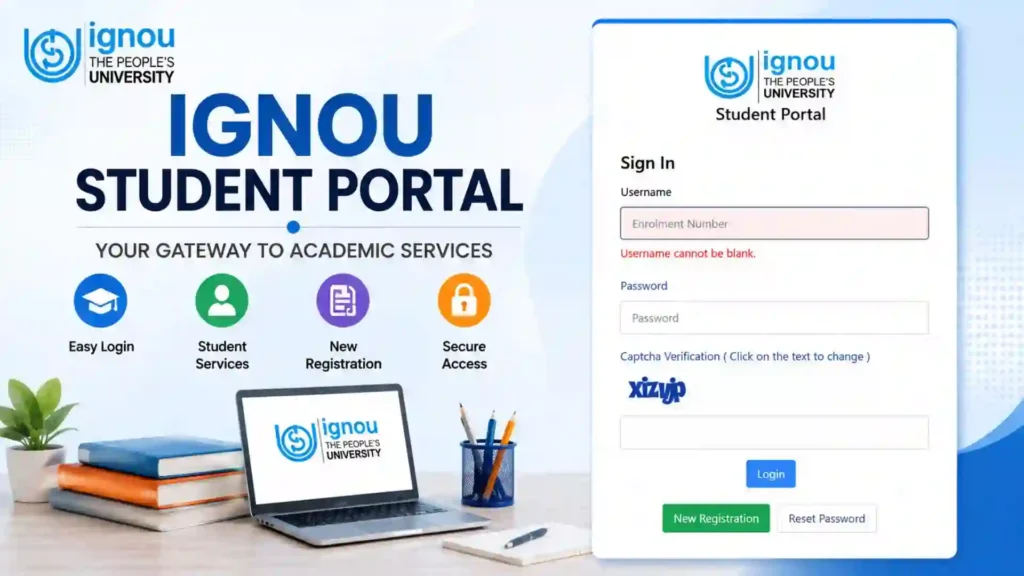
The IGNOU Student Portal is an important online platform for students enrolled with Indira Gandhi National Open University (IGNOU). As IGNOU offers programmes to students across India and abroad, many academic and administrative services are now available through online portals. The student portal makes it easier for learners to access important services without having to visit a Regional Centre or Study Centre for every requirement.
Students can use the IGNOU Samarth portal for various academic and administrative activities, depending on their programme, admission session, and the services currently available to them. It can be particularly useful for students who want to manage their academic information and access online student services from one place.

This article explains the IGNOU Student Portal, including how to access it, login-related information, available services, admission-related activities, registration, profile information, common problems, and frequently asked questions.
What is the IGNOU Student Portal?
The IGNOU Student Portal is an online platform designed to provide students with access to various university-related services. It is associated with the IGNOU Samarth system and helps students manage or access different academic and administrative services online.
Instead of depending entirely on physical communication, students can use online services for several activities related to their IGNOU studies.
Depending on the student’s programme and account status, the portal may provide access to services such as:
- Student login
- Admission-related information
- Registration-related services
- Student profile
- Programme information
- Academic details
- Online applications and services
- Other student-related facilities
The exact options available can vary depending on the student’s account and the services enabled by IGNOU.
Important Links and Information
| Particular | Details |
|---|---|
| Portal Name | IGNOU Student Portal |
| Platform | IGNOU Samarth |
| University | Indira Gandhi National Open University |
| Purpose | Access IGNOU student-related online services |
| Student Portal | https://ignou.samarth.edu.in/ |
| Mode | Online |
| Users | IGNOU Students |
| Login | Student credentials as required by the portal |
| Main Services | Student and academic-related online services |
| Access | Mobile, Tablet, Laptop and Desktop |
IGNOU Student Portal Login
Students who already have access to the IGNOU Samarth system can use the student portal to access their account.
To access the portal, visit:
On the portal, students should follow the login instructions displayed on the website. Enter the required credentials carefully and proceed to the student dashboard.
Students should avoid sharing their login credentials with other people. Your account may contain personal and academic information, so it is important to keep your login details secure.
How to Access the IGNOU Student Portal?
Accessing the IGNOU Student Portal is straightforward.
Step 1: Visit the Portal
Open the official IGNOU Samarth student portal:
You can open the website using a computer, laptop, tablet, or smartphone.
Step 2: Enter Your Login Details
Enter the information requested on the login page.
Make sure that your username, password, or other required information is entered correctly.
Step 3: Submit the Login Form
After entering your credentials, click the appropriate login button.
Step 4: Open Your Dashboard
If the credentials are correct, you can access your student account and the services available to you.
Step 5: Check Available Services
After logging in, carefully review the dashboard and select the service you need.
What Can You Do Through the IGNOU Student Portal?
The services available through the portal can depend on your programme and current academic status. However, the Samarth platform is designed to provide students with access to various university-related services.
Some commonly associated activities include the following.
Check Student Information
Students can use their account to access relevant information associated with their academic record.
It is important to check your personal information carefully and report any discrepancy through the appropriate IGNOU process.
Information such as your name, programme, enrollment-related details, and other academic information should be kept accurate.
Admission-Related Services
The IGNOU Samarth ecosystem is also used for admission-related activities.
Students applying for IGNOU programmes may use the appropriate Samarth admission platform during the admission process. Existing students can also use their account or related services depending on the admission cycle and programme.
After completing admission-related activities, students should retain their application confirmation, payment receipt, and other important documents.
Registration and Re-Registration
One of the important activities for continuing students is registration or re-registration.
Students who need to continue their programme should pay attention to the applicable registration schedule and instructions issued by IGNOU.
Depending on the relevant process, students may be directed to the appropriate Samarth service for completing re-registration.
Students should always verify:
- Programme details
- Course selection
- Registration details
- Fee information
- Submission confirmation
After completing the process, save the confirmation or payment receipt for future reference.
Student Profile
The student account can contain important personal and academic information.
Students should periodically review their information and ensure that the details associated with their account are correct.
If you notice an error, do not ignore it. Check the appropriate IGNOU procedure for making corrections.
Keeping your student information accurate is particularly important when dealing with examinations, certificates, marksheets, and other academic services.
Academic Services
The student portal and related IGNOU online systems can provide access to different academic services.
However, not every IGNOU service is necessarily available from the same dashboard.
For example, students may need separate portals for services such as:
- Grade Card
- Assignment Status
- Examination-related services
- Results
- Hall Ticket
- Study Material
- Grievance submission
Therefore, students should use the correct IGNOU portal for each specific service.
IGNOU Student Portal and Grade Card
The student portal should not be confused with the dedicated grade card facility.
The IGNOU Grade Card contains information related to academic performance, including applicable assignment, theory, practical, and project marks.
If you want to check your grade card, use the appropriate IGNOU grade card service rather than assuming that every academic record is available directly through the student dashboard.
Students should regularly monitor their grade card after assignment evaluation and Term-End Examination results are updated.
IGNOU Student Portal and Assignment Status
Assignments are an important part of IGNOU’s evaluation system.
After submitting assignments, students may need to use the appropriate assignment status facility to check whether their submission or marks have been updated.
If assignment information is missing, students should first verify their submission receipt and the relevant assignment status before raising a complaint.
The student portal and assignment status system serve different purposes, so students should use the appropriate service.
IGNOU Student Portal and Examination Services
Students may need different online services when preparing for Term-End Examinations.
Depending on the examination cycle, students may need to access services related to:
- Examination form
- Examination fee
- Hall ticket
- Examination centre
- Results
- Grade card
- Practical examinations
Students should carefully follow the instructions issued for their particular examination session.
Why is the IGNOU Student Portal Important?
The online student portal makes it easier for students to manage various academic activities.
Some important benefits include:
Online Access
Students can access services online without always visiting a Regional Centre.
Convenient Student Management
The portal provides a centralized account for applicable student services.
Faster Access to Information
Students can access available information without depending entirely on physical paperwork.
Easy Record Keeping
Students can save important confirmations, application details, and payment receipts electronically.
Convenient for Distance Learners
Since IGNOU students are located across different parts of India and other regions, online services can make university-related activities more convenient.
What Should You Keep Ready for IGNOU Student Portal Login?
Before accessing the portal, students should keep their login information available.
Depending on the service, this may include:
- Username
- Password
- Enrollment-related information
- Registered mobile number
- Registered email address
- Other information requested by the portal
Never share your password or other confidential login information publicly.
IGNOU Student Portal Login Problems
Sometimes students may have difficulty accessing their account.
Common problems can include:
- Incorrect username.
- Incorrect password.
- Forgotten login details.
- Browser-related problems.
- Temporary technical issues.
- Internet connectivity problems.
- Account-related issues.
If you cannot log in, first verify that the credentials have been entered correctly.
What to Do If You Forget Your Password?
If you forget your password, look for the password recovery or reset option provided on the portal.
Follow the instructions displayed on the website and provide the required information.
Students should use only the official portal for recovering their login credentials.
Avoid using unofficial websites that request sensitive login information.
Tips for Using the IGNOU Student Portal Safely
Students should follow basic online security practices when using their account.
Use the Correct Website
Always verify that you are accessing the correct IGNOU Samarth website:
Keep Your Password Private
Never share your password with friends, agents, or unknown individuals.
Save Important Receipts
Whenever you complete an online application or payment, save the confirmation page and receipt.
Use a Secure Device
Avoid logging into your account from an unknown or public computer whenever possible.
Log Out After Use
If you are using a shared device, always log out after completing your work.
Difference Between IGNOU Student Portal and Other IGNOU Portals
IGNOU operates several online systems for different purposes. Students can sometimes become confused because they encounter different websites for different services.
For example:
| Service | Purpose |
|---|---|
| Student Portal | Student account and related services |
| Admission Portal | New admission application |
| Re-Registration | Continue registration for the next semester/year |
| Grade Card | Check academic marks and grades |
| Assignment Status | Check assignment submission/evaluation status |
| Grievance Portal | Submit and track complaints |
| Result Portal | Check examination results |
Therefore, if a student wants to check a particular service, they should use the portal specifically designed for that purpose.
Common Mistakes Students Should Avoid
Students should avoid the following mistakes while using the IGNOU Student Portal:
- Entering incorrect login information.
- Sharing account credentials.
- Using unofficial websites.
- Ignoring important notifications.
- Failing to save payment receipts.
- Not checking course details carefully.
- Waiting until the last date to complete an important process.
- Assuming that every IGNOU service is available from the same dashboard.
It is always better to complete important academic processes early and retain proof of submission.
FAQ about IGNOU Student Portal 2026
What is the IGNOU Student Portal?
The IGNOU Student Portal is an online platform based on the IGNOU Samarth system that provides students with access to various student-related academic and administrative services.
Where can I access the IGNOU Student Portal?
You can access the student portal at:
https://ignou.samarth.edu.in/
Who can use the IGNOU Student Portal?
IGNOU students with the required account or login credentials can use the services available through the portal.
What services are available on the IGNOU Student Portal?
Services can vary depending on the student’s programme and account. They may include student information, academic services, registration-related activities, and other university services.
Can I check my IGNOU Grade Card through the Student Portal?
Students should use the appropriate grade card service to check detailed assignment, theory, practical, and project marks. Not every IGNOU service is necessarily available directly from the same student dashboard.
Can I use the IGNOU Student Portal on my mobile phone?
Yes. The portal can generally be accessed through a modern mobile web browser, although the appearance and available options may vary by device.
Conclusion
The IGNOU Student Portal is an important online platform that makes it easier for students to access and manage various university-related services. Through the IGNOU Samarth system, students can access the services applicable to their programme and academic status without relying entirely on physical visits to a Study Centre or Regional Centre.
Students should use the correct portal for each requirement, keep their login credentials secure, and save important application and payment confirmations. It is also important to remember that services such as grade card, assignment status, examination results, and grievances may have separate dedicated portals.
To access the IGNOU Student Portal, visit:
By regularly checking your student account and completing important academic processes on time, you can keep track of your IGNOU academic journey and avoid unnecessary delays.