
IGNOU Assignment Front Page 2026: Download PDF Format & Sample Cover Page

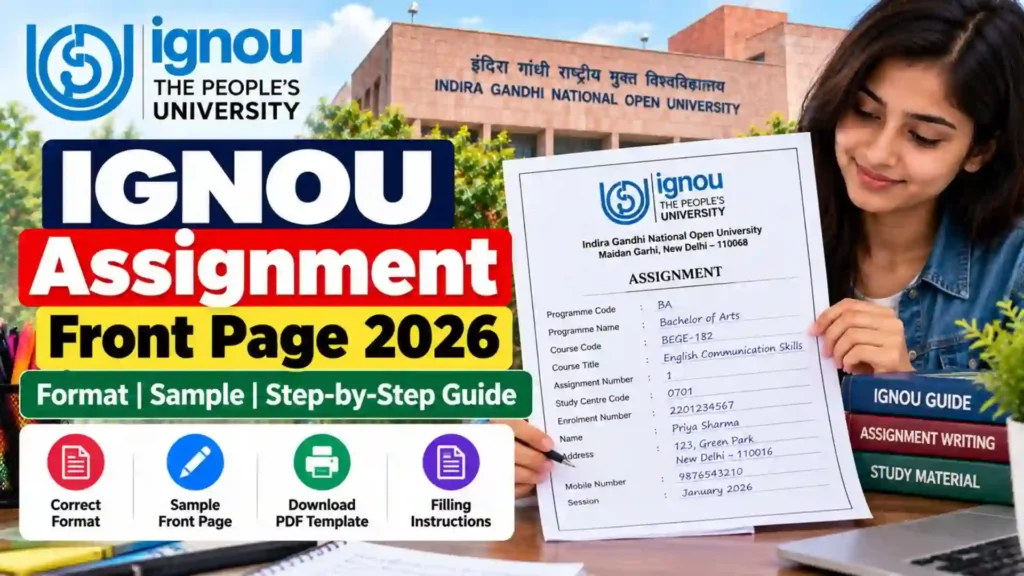
IGNOU Assignment Front Page 2026: If you’re an IGNOU student, submitting your assignments is one of the most crucial parts of your academic journey. But did you know that not using the correct IGNOU Assignment Front Page format can lead to rejection or delay in the evaluation of your assignment?
Yes, the IGNOU Assignment Front Page is more than just a cover sheet — it’s an official document that helps the evaluator track your assignment, course, and personal details effectively.

In this article, you will get complete guidance on how to fill out the IGNOU Assignment Cover Page for 2026, the official format, important rules, a ready-to-use download link, and a table of key links and information you must bookmark as an IGNOU student.
Quick Download – IGNOU Assignment Front Page 2026
Download the official front page for IGNOU assignments here:
Download IGNOU Assignment Front Page PDF 2026
Use this cover page for every course code you’re submitting, and make sure it’s properly filled out and attached as the first page of each assignment.
Why is the IGNOU Assignment Front Page So Important?
The assignment front page is the first thing your evaluator sees. It contains essential academic details such as:
- Enrollment Number
- Program Name
- Course Code
- Study Centre
- Submission Date
- Session (Jan or July)
- Contact Details
Without a properly filled cover page:
- Your assignment can get rejected
- Evaluation can be delayed
- You might miss your Term-End Examination (TEE) eligibility
What Information Must Be Included on the Front Page?
Here’s the list of details you must include on each IGNOU assignment cover page:
| Field Name | Description |
|---|---|
| Student’s Name | Your full name as registered with IGNOU |
| Enrollment Number | Unique 9 or 10-digit number received after admission |
| Program Code | e.g., BAG, BCOMG, MPS, MEG, PGDCA etc. |
| Course Code | e.g., BEGLA-135, MPS-001, ECO-01 |
| Study Centre Code & Name | Provided in your admission confirmation |
| Regional Centre | Regional IGNOU centre you’re enrolled in |
| Mobile Number | For assignment communication if needed |
| Email Address | Use your registered email with IGNOU |
| Session | January 2026 or July 2026 |
| Date of Submission | The actual date you are submitting the assignment |
| Signature of Student | Sign at the bottom for authenticity |
Sample Format of IGNOU Assignment Front Page (2026)
Below is a sample format of how your assignment front page should look like:
IGNOU ASSIGNMENT FRONT PAGE – 2026
Indira Gandhi National Open University (IGNOU)
Student’s Name : RAVI KUMAR
Enrollment Number : 2201234567
Program Code : BAG
Course Code : BEGLA-135
Study Centre Code : 07123 (XYZ College, Delhi)
Regional Centre : Delhi-1
Mobile Number : 9876543210
Email Address : ravi.kumar@example.com
Session : January 2026
Date of Submission : 15th April 2026
Signature of the Student: ___________
How to Download & Print IGNOU Assignment Front Page?
Step-by-Step Instructions
- Visit this link: https://bookhouseadda.com/ignou-assignment-front-page/
- Scroll down to the download section
- Click on “Download Front Page (PDF)” or “Download Front Page (Word)” as per your preference
- Fill in the details digitally or take a printout and write manually
- Attach it on top of your handwritten assignment (staple or bind)
Rules to Follow While Filling the Assignment Front Page
| Rule | Details |
|---|---|
| Use Blue/Black Pen Only | Write clearly and legibly |
| Use One Front Page Per Assignment | Don’t mix multiple subjects in one assignment cover page |
| Double Check Course Code & Enrollment Number | These are used to evaluate your submission |
| Signature is Mandatory | It authenticates your submission |
| Do Not Use Fancy Fonts or Colored Paper | Keep it official and formal |
| Submit Before Deadline | Avoid last-minute submission to prevent rejection |
IGNOU Assignment Submission Deadlines 2026
| Session | Assignment Submission Last Date | Term-End Examination Month |
|---|---|---|
| January 2026 | 30th April 2026 | June 2026 |
| July 2026 | 31st October 2026 | December 2026 |
Always confirm the deadline on your IGNOU Regional Centre website as some dates may differ by program.
Where to Submit IGNOU Assignments?
There are two ways to submit your IGNOU assignments:
1. Offline Submission
- Submit hard copy at your Study Centre
- Get a receipt or signature from the centre for acknowledgment
2. Online Submission
- Some Regional Centres allow assignment submission through email or Google Forms
- Check your Regional Centre’s official website or circular
Who Should Use the Assignment Front Page?
Every IGNOU student — regardless of course or program — must use the front page. This includes:
| Student Type | Required Front Page? |
|---|---|
| Undergraduate (BAG, BCOMG) | ✅ Yes |
| Postgraduate (MPS, MEG, MBA) | ✅ Yes |
| Certificate Courses | ✅ Yes |
| Diploma Courses | ✅ Yes |
| Re-admitted Students | ✅ Yes |
How to Submit Multiple Assignments?
If you are submitting 3 or more assignments:
- Use separate covers for each
- Bundle them with a plastic folder or envelope
- Label the envelope with:
- Your Name
- Enrollment Number
- Program Code
- Number of Assignments Enclosed
Common Mistakes to Avoid
| Mistake | Impact |
|---|---|
| Missing front page | Assignment may not be evaluated |
| Wrong course code | Assignment might be rejected |
| Not signing the front page | Treated as incomplete submission |
| Submitting after the deadline | May not be accepted or evaluated in next term only |
| Submitting multiple assignments in one file | Causes confusion and delay in marking |
Important Links and Information
| Purpose | Link |
|---|---|
| Download Assignment Front Page 2026 | Click Here |
| Assignment Guidelines | https://www.ignou.ac.in/userfiles/Assignment%20Instructions.pdf |
| Submit Assignment via Email/Online | Check your regional centre site |
| Download Assignment Questions | https://webservices.ignou.ac.in/assignments |
| Check Assignment Submission Dates | Visit your Study Centre/Regional Centre |
| Locate Your Regional Centre | https://ignou.ac.in/ignou/aboutignou/regional/website |
| Contact IGNOU Student Support | https://igram.ignou.ac.in |
Final Tips for IGNOU Assignment Success
✔️ Always start your assignments early
✔️ Write in neat handwriting
✔️ Stick to the word limit mentioned
✔️ Mention all required details clearly on the front page
✔️ Submit before the deadline to avoid last-minute issues
✔️ Keep a photocopy or scanned copy of your assignment for record
FAQ about IGNOU Assignment Front Page 2026
What is the IGNOU Assignment Front Page?
The IGNOU Assignment Front Page is the cover sheet that students must attach to each of their assignments. It includes essential information like enrollment number, course code, program code, session, and more. It helps IGNOU evaluate, track, and record your assignment submission accurately.
Is it compulsory to attach the front page to each IGNOU assignment?
Yes, it is mandatory to attach a properly filled front page to each individual assignment. If not attached or filled incorrectly, your assignment may be delayed, rejected, or even not evaluated.
Where can I download the IGNOU Assignment Front Page for 2026?
You can download the official format of the assignment front page here: https://bookhouseadda.com/ignou-assignment-front-page/
Can I use the same front page for multiple course codes?
No. You must use a separate front page for each course code. Each assignment must begin with its own cover page.
Can I type the assignment front page instead of writing it by hand?
Yes, you can type the front page details, especially if you’re submitting online. For offline/hard copy submissions, writing by hand in neat, legible handwriting is also acceptable.
Do I need to sign the IGNOU assignment front page?
Yes, your signature is mandatory at the bottom of the front page. It validates the authenticity of your submission.
Can I submit IGNOU assignments without the front page?
No. Assignments without a front page may be considered incomplete and could be rejected during evaluation.
Can I fill the IGNOU front page in Hindi or any regional language?
It’s recommended to fill the assignment front page in English, unless your program specifically allows submission in a regional language.
How do I know my Study Centre and Regional Centre codes?
These are mentioned in your admission confirmation email/SMS or IGNOU registration details. You can also check here: https://isms.ignou.ac.in/changeadmdata/AdmissionStatusNew.ASP
Should I submit assignments online or offline?
This depends on your Regional Centre’s instructions. Some allow online submission via email or Google Forms, while others only accept offline submissions. Always check your regional website.
Will I get a confirmation after submitting my assignments?
For offline submissions, get a signed receipt from your study centre. For online submissions, keep a screenshot or email copy of your submission acknowledgment.
Conclusion
The IGNOU Assignment Front Page 2026 may look like a small document, but it’s essential for making sure your assignments are accepted, processed, and evaluated on time. Whether you’re pursuing a Bachelor’s, Master’s, or Diploma, every assignment must have a properly filled front page attached.
Don’t ignore this step. Download the correct format, fill it carefully, and make your academic journey smooth and successful.
Download Now: https://bookhouseadda.com/ignou-assignment-front-page/
Got a question or stuck somewhere? Feel free to drop your doubts in the comments, and we’ll guide you step-by-step. Best wishes for your IGNOU journey!