
IGNOU Admission Status: Complete Guide to Check IGNOU Admission Status for All Programs

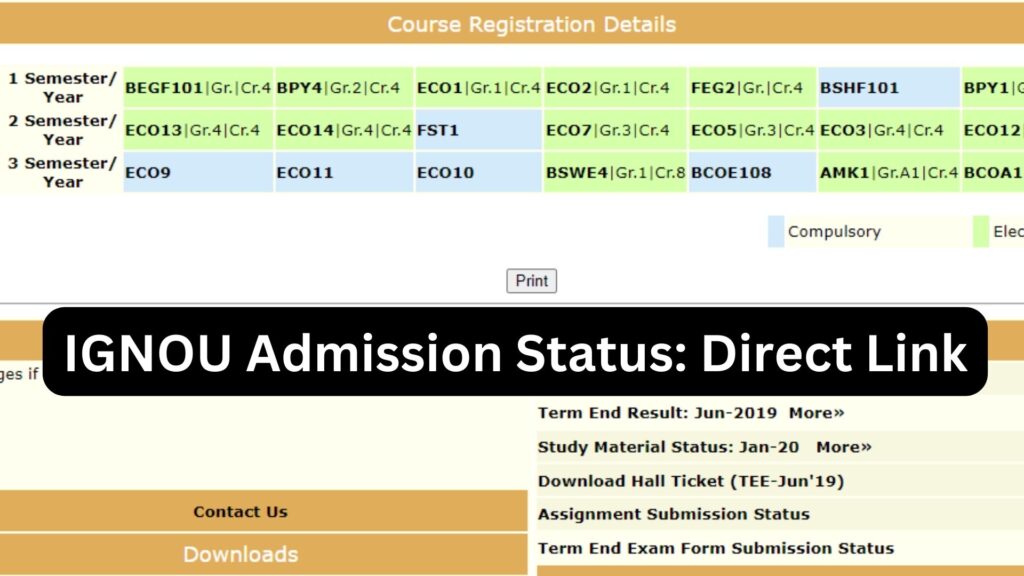
IGNOU Admission Status: The Indira Gandhi National Open University (IGNOU) is one of the largest open universities in the world, offering hundreds of academic programs in undergraduate, postgraduate, diploma, certificate, and doctoral categories. Every year, lakhs of students apply for admission to various IGNOU programs. After submitting the admission form, the first and most important step for a new learner is to check the IGNOU Admission Status. It helps confirm whether the application has been approved, documents have been verified, and the student has been officially enrolled in their chosen program.
Checking IGNOU admission status is essential because it provides updates on the approval process, enrollment number generation, regional centre allotment, study centre assignment, and course registration. Many students face confusion and delays because they do not regularly check their admission status or do not understand how the process works.

This detailed article provides a complete, step-by-step guide on how to check IGNOU admission status, the meaning of different status messages, common reasons for delays, how to resolve pending applications, important links, FAQs, and a comprehensive conclusion. This resource will help every IGNOU student, especially new applicants, understand their enrollment process clearly.
Understanding IGNOU Admission Status
IGNOU Admission Status refers to the official confirmation of your admission application and enrollment into the university. After applying for admission and uploading the required documents, IGNOU verifies the details before approving the application. Once approved, the enrollment number is generated and assigned to the student.
The admission status provides information such as:
- Whether the admission form has been successfully submitted
- Whether the documents have been verified by the regional centre
- Whether the program fee has been received
- Allotment of study centre and regional centre
- Enrollment number generation
- Status of course registration
Students receive updates through the IGNOU Samarth portal, email notifications, and SMS alerts.
Why Checking IGNOU Admission Status is Important?
Checking your admission status regularly is crucial for several reasons:
Ensures Timely Confirmation of Admission
Many students assume their admission is approved once the fee is paid, but this is not always true. IGNOU may reject applications due to incomplete documents or incorrect information. Checking the status helps identify and correct issues early.
Helps Track Enrollment Number Generation
Without an enrollment number, students cannot access:
- Student portal
- Study materials
- Assignment submission
- Term-end exam form
- ID card download
The admission status page shows when the enrollment number is generated.
Helps Know Program and Study Centre Approval
Your chosen program will be confirmed only if it is available in your regional and study centre. Sometimes, IGNOU may reassign centres. Admission status helps track these updates.
Saves Time and Prevents Last-Minute Problems
By checking the status at every stage, students can take timely action and avoid confusion during assignments, exams, or study material dispatch.
Where to Check IGNOU Admission Status?
IGNOU admission status can be checked through the official IGNOU Samarth portal. Students can check status for:
- Fresh Admission
- Re-Registration
- Online Program Admission
- Distance Program Admission
- International Admission
The admission status can be checked using:
- Registered username
- Enrollment number
- Control number
Step-by-Step Guide to Check IGNOU Admission Status
Follow these steps to check your IGNOU admission status:
Step 1: Visit the official IGNOU admission portal
Go to the IGNOU Samarth portal where you completed your admission. The admission status is available in your dashboard.
Step 2: Log in with your credentials
Use your registered username and password.
Step 3: Go to My Applications or Application Status
This section shows the complete details of your admission form and its current stage.
Step 4: Check the application status
You will see one of the following:
- Fresh application submitted
- Document verification pending
- Documents approved
- Admission confirmed
- Enrollment number generated
Step 5: Download Confirmation Letter
Once admission is approved, you can download the:
- Confirmation letter
- Program details
- ID card
- Enrollment details
Different Types of IGNOU Admission Status Messages and Their Meaning
Students often get confused about different status messages. Here is a detailed explanation:
Submitted
Your application form and payment are successfully submitted. Verification has not yet started.
Pending Verification
Regional Centre is currently verifying your documents.
Pending for Document Upload
Some documents may be missing or unclear. You will be asked to re-upload them.
Document Verification Failed
One or more documents are incorrect, unclear, or invalid.
Admission Confirmed
Your admission is finally approved.
Enrollment Number Generated
You are officially enrolled as an IGNOU student.
Fee Pending
Payment was not received or failed.
Rejected
Application rejected due to incomplete or invalid documents.
Common Reasons Why IGNOU Admission Status Gets Delayed
There are several reasons why students experience delays:
Incomplete Document Upload
If any document such as marksheet, photo, signature or category certificate is not uploaded properly, the verification is delayed.
Incorrect Document Format
IGNOU accepts only specific formats like JPG and PDF. Incorrect format causes delays.
Invalid Category or Certificate
If certificates are outdated or incorrect, RC holds the application.
High Volume of Admissions
IGNOU receives lakhs of applications, especially during the July and January sessions.
Fee Payment Pending
Sometimes payment is deducted but not updated due to gateway delays.
Program Not Available at Study Centre
Some programs require specific study centres. Reallocation may cause delay.
How to Resolve IGNOU Admission Status Issues?
If your application is pending or rejected, follow these steps:
Re-upload Required Documents
Log in to your dashboard and upload the correct documents.
Contact Your Regional Centre
Email or visit your RC for clarification.
Provide Correct Information
Make sure your personal details match official documents.
Check Fee Payment Status
Verify your transaction from the payment history section.
Wait for 7 to 15 Days
Verification sometimes takes time.
Documents Required to Check and Confirm IGNOU Admission Status
Keep these documents ready:
- Application form copy
- Control number
- Payment receipt
- Soft copies of documents uploaded
- Email confirmation from IGNOU
IGNOU Admission Timeline: Important Dates
Although IGNOU updates exam and admission dates periodically, here is a general timeline:
| Activity | Cycle | Tentative Timeline |
|---|---|---|
| Admission Start | January Cycle | December to March |
| Admission Last Date | January Cycle | March or April |
| Admission Start | July Cycle | May to September |
| Admission Last Date | July Cycle | September or October |
| Document Verification | Both Cycles | 7 to 20 days after submission |
| Enrollment Number Generation | Both Cycles | Within 30 days of approval |
| ID Card Availability | Both Cycles | After enrollment is generated |
IGNOU Admission Status: Important Links and Information
The table below contains some of the essential links related to IGNOU admission, verification, and student updates.
| Purpose | Link / Information |
|---|---|
| IGNOU Official Website | https://ignou.ac.in |
| Fresh Admission Portal | IGNOU Samarth Portal |
| Re-Registration Portal | Available on IGNOU Samarth Portal |
| Admission Status Check | Through IGNOU Samarth Dashboard |
| IGNOU Student Login | Available on Student Login Portal |
| Regional Centre List | Available on IGNOU Website |
| Prospectus and Program Guide | Download from IGNOU Website |
| Student Support Service Email | ssc@ignou.ac.in |
| Assignment Guidelines | Provided through IGNOU Study Centers |
| Study Material eGyanKosh | Digital Library for IGNOU Students |
| Hall Ticket and Exam Updates | IGNOU Examination Section |
Tips to Ensure Smooth Admission Approval in IGNOU
Upload Clear and Valid Documents
Ensure your photograph, signature, and marksheets are clear and properly scanned.
Use the Correct Category Certificates
OBC, SC, ST, and EWS certificates must be valid and recent.
Provide Correct Contact Details
Mobile number and email should be active for receiving updates.
Follow Program Eligibility Criteria
Check educational requirements before applying.
Do Not Submit Multiple Applications
Duplicate applications create delays.
FAQ about IGNOU Admission Status 2025
How long does IGNOU take to confirm admission?
Typically, IGNOU takes 7 to 20 days for document verification. Enrollment numbers may take up to 30 days.
How can I check IGNOU Admission Status?
Log in to the IGNOU Samarth portal where you applied. The status is shown under My Applications.
What does Enrollment Number Generated mean?
It means your admission is approved and you are officially an IGNOU student.
My admission status says Pending Verification. What should I do?
Wait for verification to complete. If it remains pending for more than 20 days, contact your Regional Centre.
What if IGNOU rejects my application?
You can reapply with correct details or contact the RC for clarification.
Can I change my program after admission is approved?
Yes, but IGNOU allows program change only within a specific timeline and by paying the applicable fee.
My payment was deducted but status shows Fee Pending. What should I do?
Wait for 48 hours. If the status still shows pending, contact IGNOU payment support or your bank.
When will I get my study material?
After your enrollment number is generated, study materials are dispatched within 30 to 45 days. Digital material is available earlier.
Do I need to visit my Regional Centre for admission approval?
No, the entire process is online unless your RC specifically requests verification.
How do I download my IGNOU ID Card?
Once your enrollment number is generated, the ID card option appears in your dashboard.
Conclusion
Checking the IGNOU Admission Status is an important step for every new applicant. It helps track your application progress, document verification, study centre allocation, and enrollment number generation. Since IGNOU handles admissions for lakhs of students across India and abroad, it is crucial to stay updated through the official portal. The admission process is entirely online, and the status portal provides real-time updates for students.
By regularly checking your admission status, uploading the correct documents, confirming fee payment, and contacting your regional centre when needed, you can ensure a smooth admission process without unexpected delays. Once your enrollment number is generated, you gain full access to IGNOU’s academic resources, student dashboard, assignments, study materials, and exam updates.
This guide has provided you with a complete understanding of how to check IGNOU admission status, the meaning of different status messages, important links, FAQ-based solutions, and all essential information needed to navigate the IGNOU admission process successfully.