
IGNOU Assignment Front Page 2026: Format, Download, Guidelines, and Complete Guide

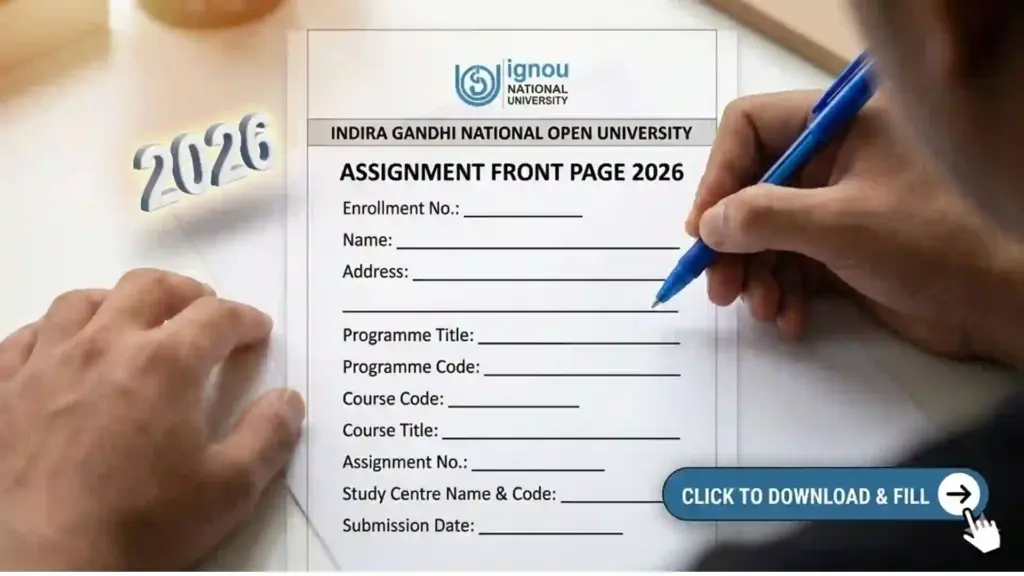
IGNOU Assignment Front Page 2026: Students enrolled in the Indira Gandhi National Open University must submit assignments for every course before appearing in the term-end examinations. These assignments carry significant weight in the final evaluation. One of the most important requirements while submitting assignments is attaching the IGNOU Assignment Front Page.
Many students lose marks or face rejection of assignments because they fail to attach the correct front page or fill it incorrectly. Therefore, understanding the correct format and guidelines for the IGNOU Assignment Front Page 2026 is extremely important.

In this detailed guide, you will learn everything about the IGNOU assignment front page, including its importance, required details, format, how to download it, how to fill it correctly, and important guidelines for submission.
Students who want to download the official front page format can use the following link.
Download IGNOU Assignment Front Page:
https://www.bookhouseadda.com/ignou-assignment-front-page/
What is the IGNOU Assignment Front Page?
The IGNOU Assignment Front Page is the first page attached to every assignment submitted by students. It acts as an identification sheet containing important details about the student and the course.
This page helps the university and study centers identify:
- Student information
- Enrollment number
- Program details
- Course code
- Study center details
- Session information
The front page ensures that the assignment is correctly evaluated and recorded in the university system.
Without a proper front page, the assignment may be rejected or may not be evaluated properly.
Why the IGNOU Assignment Front Page is Important?
Many students underestimate the importance of the front page, but it plays a crucial role in the assignment evaluation process.
The main reasons why the assignment front page is important include:
1. Identification of the Student
The front page contains the student’s enrollment number, name, and program details. This helps the evaluator identify the student who submitted the assignment.
2. Course Identification
IGNOU offers hundreds of courses. The front page clearly mentions the course code and title so the evaluator knows which subject the assignment belongs to.
3. Proper Record Maintenance
The front page helps study centers maintain proper records of assignments submitted by students.
4. Prevents Misplacement of Assignments
Assignments without proper details can easily get misplaced. The front page ensures that assignments are organized correctly.
5. Mandatory Requirement
IGNOU requires every assignment to include a properly filled front page. Assignments without it may not be accepted.
Important Links and Information for IGNOU Assignment Front Page 2026
Below is a table containing important links and information related to IGNOU assignments and front pages.
| Information | Details | Link |
|---|---|---|
| Download IGNOU Assignment Front Page | Download the latest front page format for assignments | https://www.bookhouseadda.com/ignou-assignment-front-page/ |
| Official IGNOU Website | Visit the official website for announcements and updates | https://www.ignou.ac.in |
| IGNOU Assignment Question Papers | Download assignment questions for different courses | https://webservices.ignou.ac.in/assignments |
| IGNOU Student Portal | Login to check academic details | https://ignou.samarth.edu.in |
| IGNOU Grade Card | Check assignment marks and exam results | https://gradecard.ignou.ac.in |
Students should always refer to these links for the latest updates regarding assignments and submission guidelines.
Details Required on the IGNOU Assignment Front Page
The assignment front page contains several important fields that students must fill correctly.
Below are the common details required on the IGNOU assignment front page.
1. Student Name
Write your full name exactly as registered with IGNOU.
2. Enrollment Number
The enrollment number is a unique identification number assigned to each student.
Make sure the number is correct because marks are recorded using this number.
3. Program Code
The program code represents your course or degree program.
Examples include:
- BAG
- BCOMG
- BCA
- MEG
- MPS
- MBA
Write the correct program code.
4. Course Code
Each subject has a unique course code.
Examples include:
- BEGC101
- ECO01
- MPS001
- MCO01
Make sure the course code matches the assignment questions.
5. Course Title
Write the name of the subject related to the assignment.
6. Study Center Code
Every IGNOU student is assigned a study center where assignments are submitted.
Write the correct study center code.
7. Study Center Name
Mention the name of your study center.
8. Session
Mention the academic session such as:
- January 2026
- July 2026
9. Mobile Number
Provide an active mobile number for communication.
10. Email ID
Enter your correct email address.
11. Assignment Number
Some assignments may require mentioning the assignment number.
12. Date of Submission
Write the date on which you are submitting the assignment.
Format of IGNOU Assignment Front Page 2026
Although the design may vary slightly, the basic format remains similar.
The front page usually includes:
- IGNOU logo
- Title: Assignment
- Student details section
- Course details section
- Study center details
- Signature of student
Students must ensure that the page is clean, readable, and properly filled.
How to Download IGNOU Assignment Front Page 2026?
Downloading the assignment front page is simple.
Follow these steps:
Step 1
Open the following page in your browser: https://www.bookhouseadda.com/ignou-assignment-front-page/
Step 2
Scroll down and find the download section.
Step 3
Click the download link for the assignment front page.
Step 4
Save the PDF file to your device.
Step 5
Print the front page and attach it to your assignment.
How to Fill the IGNOU Assignment Front Page Correctly?
Filling the front page correctly is important to avoid mistakes.
Follow these steps.
Step 1: Write Clearly
Use clear handwriting when filling the details.
Step 2: Use Capital Letters
It is recommended to write important details in capital letters for clarity.
Step 3: Avoid Overwriting
If you make a mistake, rewrite the page instead of overwriting.
Step 4: Verify Enrollment Number
Double-check your enrollment number.
Step 5: Confirm Course Code
Make sure the course code matches the assignment.
Step 6: Sign the Page
Do not forget to sign the front page.
Where to Attach the Assignment Front Page?
The assignment front page must be placed at the very beginning of the assignment.
The correct order should be:
- Assignment Front Page
- Assignment Questions (optional)
- Answer Sheets
Staple or bind the assignment properly to prevent pages from getting lost.
Important Guidelines for IGNOU Assignments
Students should follow these guidelines when preparing assignments.
1. Write Assignments by Hand
IGNOU generally requires handwritten assignments.
Typed assignments are usually not accepted.
2. Use A4 Size Paper
Write assignments on A4 sheets.
3. Maintain Proper Margins
Keep margins on both sides for neat presentation.
4. Write Question Numbers Clearly
Mention the question number before writing the answer.
5. Submit Before the Deadline
Assignments must be submitted before the last date.
Late submissions may not be accepted.
6. Attach the Front Page
Every assignment must have its own front page.
If you have five subjects, you must attach five front pages.
Common Mistakes Students Make
Many students make small mistakes that can cause issues during evaluation.
Here are some common mistakes to avoid.
Wrong Enrollment Number
Entering the wrong enrollment number can result in marks not being recorded.
Missing Course Code
Without the course code, the evaluator may not know which subject the assignment belongs to.
Incomplete Details
Leaving fields blank may cause confusion.
Submitting Without Front Page
Assignments without the front page may be rejected.
Poor Presentation
Untidy assignments create a bad impression.
Tips to Score Good Marks in IGNOU Assignments
Assignments contribute significantly to the final grade.
Follow these tips to score higher marks.
Understand the Questions
Read the assignment questions carefully.
Write Detailed Answers
Provide complete and well-structured answers.
Use Headings and Subheadings
This improves readability.
Include Examples
Examples help explain concepts clearly.
Maintain Neat Handwriting
Good presentation improves evaluation.
Follow Word Limits
Stick to the recommended word limits.
IGNOU Assignment Submission Process
Assignments can be submitted through different methods depending on the study center.
Offline Submission
Students submit printed assignments at the study center.
Online Submission
Some regional centers allow assignments to be submitted via email or online portals.
Students should confirm the submission method with their study center.
FAQ about IGNOU Assignment Front Page 2026
What is the IGNOU Assignment Front Page?
The IGNOU Assignment Front Page is the first page attached to an assignment that contains student details, course information, and study center details.
Is the assignment front page mandatory?
Yes. IGNOU requires every assignment to include a properly filled front page.
Assignments without it may not be accepted.
Where can I download the IGNOU Assignment Front Page 2026?
Students can download the latest front page from the following link:
https://www.bookhouseadda.com/ignou-assignment-front-page/
Do I need a separate front page for each subject?
Yes. Each subject assignment must have its own front page.
Can I type the assignment instead of writing it?
IGNOU usually requires handwritten assignments unless specified otherwise.
What happens if I forget to attach the front page?
Your assignment may be rejected or may not be evaluated.
Can I print the front page in black and white?
Yes. Printing in black and white is acceptable.
Is it necessary to sign the front page?
Yes. Students should sign the front page before submitting the assignment.
Conclusion
The IGNOU Assignment Front Page 2026 is an essential part of every assignment submitted to the university. It contains important information that helps evaluators identify the student, course, and program details. Without a properly filled front page, assignments may be rejected or delayed in evaluation.
Students should carefully download the correct format, fill in all the required details accurately, and attach it to the beginning of each assignment. Paying attention to small details such as enrollment number, course code, and study center information can prevent unnecessary issues during evaluation.
If you have not yet downloaded the assignment front page, you can get it from the link below.
Download IGNOU Assignment Front Page:
https://www.bookhouseadda.com/ignou-assignment-front-page/
Following the correct format and guidelines will help ensure smooth assignment submission and proper evaluation of your work.