
IGNOU Assignment Status 2026: Complete Guide to Check, Understand and Resolve Issues

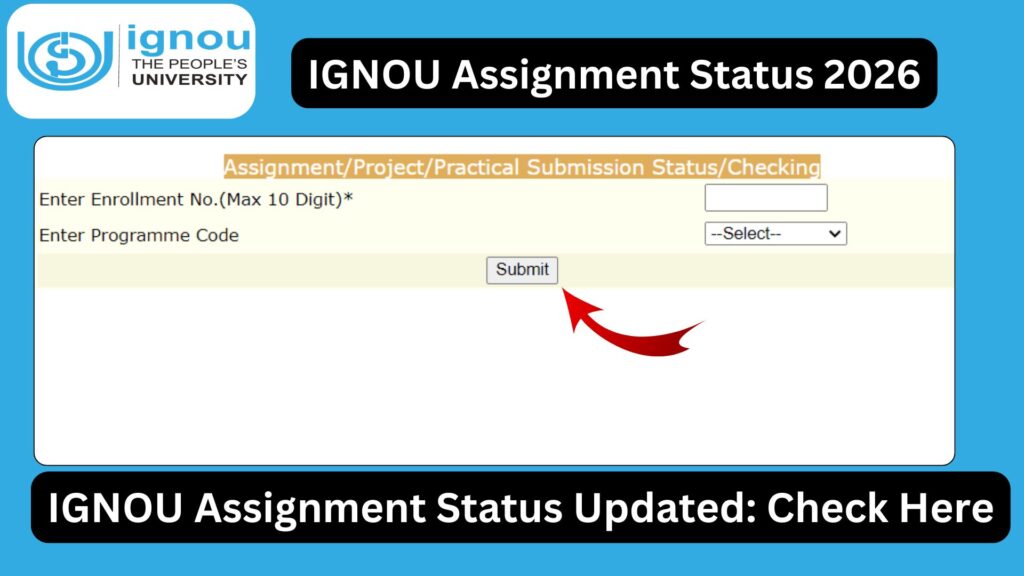
IGNOU Assignment Status: For students enrolled at Indira Gandhi National Open University (IGNOU), assignments play a crucial role in academic evaluation. Unlike many traditional universities, IGNOU follows a continuous evaluation system where assignments carry significant weightage in the final result. Because of this, checking the IGNOU Assignment Status becomes extremely important for every learner.
If you have submitted your assignments and are waiting for confirmation, this detailed guide will help you understand how to check your IGNOU assignment status, what different status messages mean, how long it takes to update, common problems, and what to do if your marks are not updated.

This article provides complete and structured information to help IGNOU students avoid confusion and track their assignment evaluation properly.
What Is IGNOU Assignment Status?
IGNOU Assignment Status refers to the online record that shows whether your submitted assignments have been received, evaluated, and updated in the university’s system.
Once you submit your handwritten assignments to your allotted study centre, they are:
- Collected and verified by the study centre
- Evaluated by subject experts
- Uploaded into the IGNOU system
- Reflected in your assignment status and grade card
Checking the assignment status ensures that your hard work has been recorded properly.
Why IGNOU Assignment Status Is Important?
Assignments are not optional in IGNOU. They carry mandatory weightage, usually around 30% of the total marks for a subject.
Here is why assignment status matters:
- Assignments are required to appear in Term-End Examination (TEE)
- Marks from assignments are added to final score
- Without assignment submission, subject remains incomplete
- Assignment marks affect overall percentage
Even if you score well in the theory exam, failing to submit assignments can result in “Not Completed” status.
IGNOU Assignment Status: Important Links and Information
Below is a quick reference table containing essential information related to checking IGNOU Assignment Status.
| Purpose | Link / Details |
|---|---|
| Check IGNOU Assignment Status | https://isms.ignou.ac.in/changeadmdata/StatusAssignment.asp |
| Required Detail | Enrollment Number |
| Applicable For | All IGNOU Programmes |
| Assignment Weightage | Generally 30% |
| Mode of Status Check | Online |
| Updated By | Study Centre & IGNOU Evaluation Team |
| When to Check | 2–6 Weeks After Submission |
Students must keep their enrollment number ready before checking the status.
How to Check IGNOU Assignment Status Online?
Checking your IGNOU assignment status is a simple process. Follow the steps carefully.
Step 1: Visit the Assignment Status Portal
Go to the official status checking page:
https://isms.ignou.ac.in/changeadmdata/StatusAssignment.asp
Step 2: Enter Enrollment Number
Enter your valid enrollment number correctly. Double-check for typing errors.
Step 3: Submit the Details
Click on the submit button to view your assignment details.
Step 4: View Course-Wise Status
The page will display:
- Course Code
- Assignment Submission Status
- Marks (if evaluated)
- Session Details
If marks are updated, they will appear alongside the course code.
How Long Does IGNOU Take to Update Assignment Status?
Assignment status is not updated immediately after submission. The typical timeline is:
- Submission at study centre
- Evaluation process (2–4 weeks)
- Marks upload into IGNOU system
- Status reflects online
In some cases, updates may take up to 6–8 weeks, especially during peak academic sessions.
Students are advised to wait patiently before assuming there is an issue.
Understanding Different IGNOU Assignment Status Messages
While checking the status, you may encounter various messages.
Assignment Received and Marks Updated
This means your assignment has been evaluated and marks are recorded.
Assignment Received but Marks Not Updated
This means your assignment is received but evaluation is still pending.
Assignment Not Found
This may happen if:
- Marks are not uploaded yet
- You entered incorrect enrollment number
- Data synchronization is pending
Students should not panic immediately if status is not visible.
What to Do If Assignment Status Is Not Updated?
If your assignment status is not updated even after several weeks, follow these steps:
- Confirm that you submitted the assignment before deadline.
- Contact your study centre.
- Keep submission proof or receipt.
- Send an email to regional centre if required.
- Check grade card for updated marks.
Always keep a copy of submitted assignments and acknowledgement receipt.
Importance of Assignment Submission Before TEE
IGNOU requires students to submit assignments before appearing in Term-End Examination.
If assignments are not submitted:
- You may not be allowed to sit in TEE
- Subject will not be considered complete
- Re-submission may be required
Assignment submission deadlines are usually provided in the academic calendar.
IGNOU Assignment Status vs IGNOU Grade Card
Many students confuse assignment status with grade card. Both serve different purposes.
Assignment Status
- Shows whether assignment is received
- Displays assignment marks
- Course-specific information
Grade Card
- Shows combined marks (Assignment + Theory)
- Displays overall subject completion
- Reflects final result status
Students should check both to ensure complete academic progress.
Minimum Passing Marks in Assignments
The minimum passing marks vary by programme.
Generally:
- Undergraduate programmes: 35%
- Postgraduate programmes: 40%
Students must secure minimum marks separately in assignments and theory exams.
What If You Fail in Assignment?
If you fail to secure minimum marks:
- You must resubmit fresh assignment
- Submit in next academic session
- Follow updated assignment questions
Assignments must be handwritten unless otherwise instructed.
Common Mistakes Students Make
Many issues arise due to avoidable mistakes. Here are common errors:
- Submitting assignments after deadline
- Writing incorrect enrollment number on assignment
- Not signing assignment
- Submitting wrong course code assignment
- Ignoring study centre instructions
Always verify details before submission.
Tips to Ensure Smooth Assignment Status Update
To avoid problems:
- Submit assignments well before deadline
- Take submission receipt
- Write clear enrollment number and course code
- Follow assignment format strictly
- Keep photocopy or scanned copy
Proper documentation prevents unnecessary stress later.
Can Assignment Status Be Checked Multiple Times?
Yes, students can check assignment status multiple times. The portal remains active throughout the session.
It is advisable to:
- Check once after 3–4 weeks of submission
- Recheck after result declaration
- Confirm marks before filling next exam form
IGNOU Assignment Status for Different Programmes
Assignment status facility is available for:
- Undergraduate Programmes
- Postgraduate Programmes
- Diploma Courses
- Certificate Courses
- Professional Programmes
The process remains the same for all programmes.
What If Assignment Marks Are Incorrect?
If you believe marks are incorrectly entered:
- Contact your study centre immediately
- Provide assignment submission proof
- Submit written request if required
Corrections can be made if genuine errors are found.
Assignment Weightage in Final Result
IGNOU usually follows this structure:
- Assignment: 30%
- Term-End Theory Exam: 70%
Final marks are calculated after combining both components.
For example:
If you score 70 in theory and 80 in assignment, the weighted average will determine your final score.
FAQ about IGNOU Assignment Status 2026
How can I check my IGNOU Assignment Status?
You can check your assignment status online at: https://isms.ignou.ac.in/changeadmdata/StatusAssignment.asp Enter your enrollment number to view details.
How long does it take for assignment status to update?
It usually takes 2–6 weeks after submission.
What if my assignment status is not showing?
Marks may not have been uploaded yet. Wait and check again after some time.
Is assignment submission compulsory?
Yes, assignment submission is mandatory to complete a course.
Can I appear in exam without submitting assignment?
No, assignment submission is compulsory before appearing in TEE.
What are the passing marks in assignment?
Generally 35% for UG and 40% for PG programmes.
Can I resubmit failed assignment?
Yes, you can submit fresh assignment in next session.
Conclusion
IGNOU Assignment Status is an essential part of the academic evaluation system. Since assignments contribute significantly to the final result, students must regularly check their status after submission. The online portal makes it easy to track whether assignments have been received and evaluated.
Students should submit assignments on time, maintain proper documentation, and monitor status updates carefully. If any issue arises, contacting the study centre promptly can prevent academic delays.
By following the steps and guidelines outlined in this article, IGNOU students can confidently track their assignment progress and ensure smooth completion of their courses.