
IGNOU ID Card Download: Complete Guide to Download, Use, and Importance of IGNOU Identity Card

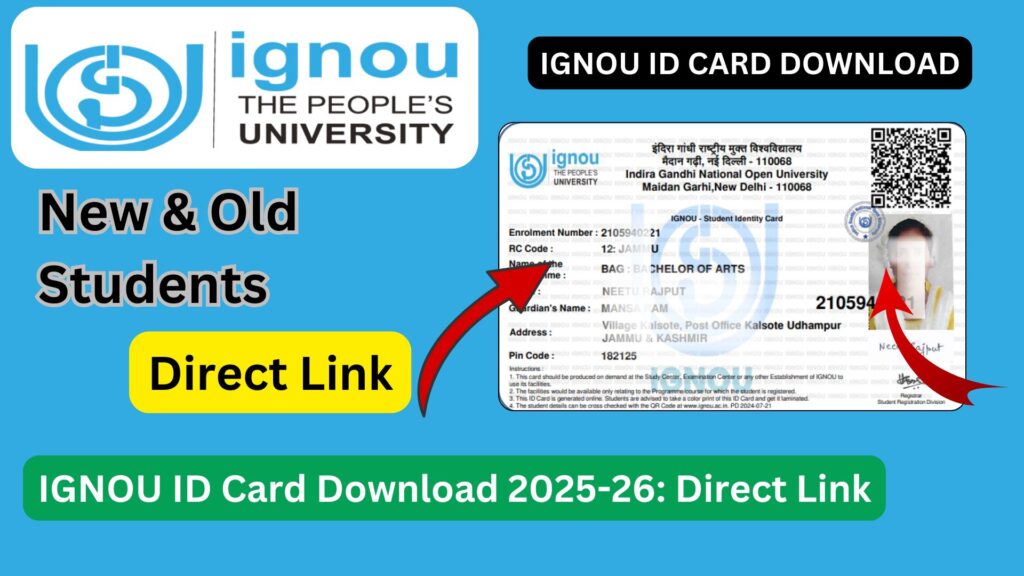
IGNOU ID Card Download: The IGNOU ID card is one of the most important documents for every student enrolled at Indira Gandhi National Open University. Whether you are a newly admitted learner or a continuing student, the IGNOU identity card is required at multiple stages of your academic journey. From appearing in term-end examinations to accessing study centres and practical sessions, the ID card serves as official proof of your enrollment with the university.

Many students search online for IGNOU ID card download because they either did not receive a physical copy or misplaced it. With the digitalization of student services, IGNOU now allows students to download their ID card online using their enrollment details. This detailed blog article explains everything related to IGNOU ID card download, including its importance, step-by-step download process, usage guidelines, common problems, FAQs, and more.
What Is the IGNOU ID Card?
The IGNOU ID card is an official identity document issued by the university to confirm a student’s enrollment in a specific academic programme. It contains essential details such as:
- Student’s Name
- Enrollment Number
- Programme Code
- Photograph
- Academic Session
The ID card is valid for the entire duration of the programme and must be preserved carefully.
Importance of IGNOU ID Card
The IGNOU ID card is not just a formality; it is a mandatory document for various academic and administrative activities.
Key Uses of IGNOU ID Card
- Entry into examination centres during Term End Examinations
- Verification at study centres for counseling sessions
- Attendance in practical and viva examinations
- Submission and verification of assignments
- Identification during project evaluation
- Access to IGNOU facilities and services
Without a valid ID card, students may face difficulties in exams or other academic processes.
Can IGNOU ID Card Be Downloaded Online?
Yes, IGNOU allows students to download their ID card online after successful admission confirmation. This digital ID card is accepted at examination centres and study centres when printed or stored digitally, as per instructions.
Students can download their IGNOU ID card using their enrollment number and registered credentials.
Official Link to Download IGNOU ID Card
Students can download their IGNOU ID card from the link provided below: https://www.bookhouseadda.com/ignou-id-card-download-with-enrollment-no-2/
This page provides direct guidance and access related to IGNOU ID card download using enrollment details.
Important Links and Information
| Description | Details |
|---|---|
| IGNOU ID Card Download Link | https://www.bookhouseadda.com/ignou-id-card-download-with-enrollment-no-2/ |
| Required Details | Enrollment Number |
| Format Available | |
| Applicable For | All IGNOU Programs |
| Usage | Exams, Study Centre, Practical |
| Validity | Entire Program Duration |
Step-by-Step Process to Download IGNOU ID Card
Downloading the IGNOU ID card is a simple process if admission is confirmed.
Steps to Download
- Open the IGNOU ID card download page
- Enter your enrollment number
- Verify required details
- Access the ID card in PDF format
- Download and save the file
Once downloaded, students should take a printout and laminate it for long-term use.
Who Can Download IGNOU ID Card?
Students eligible to download the IGNOU ID card include:
- Newly admitted students after admission confirmation
- Re-registered students
- Continuing students
- Students who lost or damaged their original ID card
If your admission status is not confirmed, the ID card may not be available yet.
Information Printed on IGNOU ID Card
The ID card typically includes:
- University Name and Logo
- Student Photograph
- Student Name
- Enrollment Number
- Programme Code
- Session Details
- Signature or authentication
Students should verify all details immediately after downloading.
What to Do After Downloading IGNOU ID Card?
After downloading the ID card:
- Take at least two printouts
- Laminate one copy for daily use
- Keep a digital copy on your phone or email
- Check clarity of photo and text
Having multiple copies ensures you are prepared for all situations.
Is Digital IGNOU ID Card Valid?
In many cases, a printed digital ID card is accepted. Some centres may also accept a digital copy shown on a mobile device, but it is always safer to carry a printed copy during exams and official visits.
Students should follow the instructions issued for examinations and practicals.
Common Problems Faced While Downloading IGNOU ID Card
Despite the availability of online services, students may face certain issues.
Common Issues
- Enrollment number not recognized
- ID card not generated yet
- Incorrect personal details
- Technical errors
Most of these issues occur due to incomplete admission confirmation or data processing delays.
What to Do If IGNOU ID Card Is Not Available?
If you are unable to download your ID card:
- Check admission confirmation status
- Wait for processing time after admission
- Verify enrollment number accuracy
- Contact your regional centre if delay persists
Students should not panic as data updates may take time.
Difference Between Physical and Digital IGNOU ID Card
| Aspect | Physical ID Card | Digital ID Card |
|---|---|---|
| Issued Mode | By study centre | Online |
| Replacement | Difficult | Easy |
| Accessibility | Limited | Anytime |
| Acceptance | Official | Official |
Both versions are valid, but the digital ID card offers greater convenience.
IGNOU ID Card for Examination Purposes
The ID card is mandatory for:
- Entering examination halls
- Identity verification
- Matching hall ticket details
Students without an ID card may not be allowed to appear in examinations.
Safety Tips for IGNOU ID Card
- Do not share your ID card publicly
- Avoid posting on social media
- Keep a backup copy
- Replace immediately if damaged
Treat the ID card as a sensitive academic document.
FAQ about IGNOU ID Card Download
Is IGNOU ID card mandatory?
Yes, the IGNOU ID card is mandatory for exams, practicals, and study centre activities.
Where can I download IGNOU ID card?
You can download it using the following link:
https://www.bookhouseadda.com/ignou-id-card-download-with-enrollment-no-2/
Can I download IGNOU ID card using enrollment number?
Yes, the ID card can be downloaded using your enrollment number.
Is a printed digital ID card accepted?
Yes, a printed digital ID card is generally accepted at IGNOU centres.
What if my ID card details are incorrect?
You should contact your regional centre for correction.
How long is IGNOU ID card valid?
The ID card is valid for the entire duration of your program.
Conclusion
The IGNOU ID card is an essential document that every student must possess throughout their academic journey. With the option of online download, IGNOU has made it easier for students to access and replace their ID cards without unnecessary delays.
Students should download their ID card as soon as it becomes available, verify all details, and keep multiple copies for safety. Using the official download link provided above ensures quick and reliable access to the ID card.
Staying organized with important documents like the IGNOU ID card helps ensure a smooth and stress-free experience at Indira Gandhi National Open University.