
IGNOU Samarth Login: Complete Guide to Registration, Login, Features, Uses, and Student Support

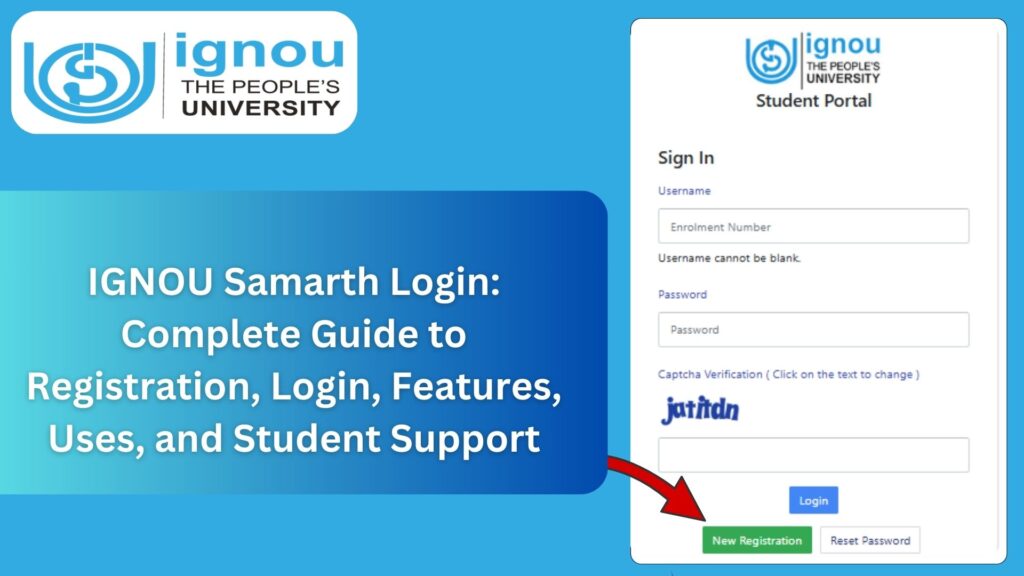
IGNOU Samarth Login: The Indira Gandhi National Open University (IGNOU) has launched the Samarth Portal to make academic processes smoother, faster, and completely digital. The IGNOU Samarth Login system is designed to help students access all important academic services such as admission status, exam form submission, assignment updates, hall tickets, grade cards, and course details under one secure dashboard.
If you are an IGNOU student, you will use the Samarth portal throughout your academic journey. Whether you want to check admission status, download the admit card, submit the exam form, or update your profile, everything can be accessed online through this portal.

The official portal for login is:
IGNOU Samarth Login Portal: https://ignou.samarth.edu.in/
This article explains everything you need to know about the portal, including features, login steps, troubleshooting, benefits, FAQs, and a complete guide to using Samarth effectively.
What Is IGNOU Samarth Portal?
The IGNOU Samarth Portal is a digital academic management platform developed for all IGNOU students. It simplifies essential processes related to admissions, examination forms, personal profile updates, course lists, attendance (for selected programmes), hall tickets, grade cards, and study materials.
The portal brings transparency, convenience, and easy tracking of academic activities. It ensures that students do not need to visit their regional centres frequently and can access all services online.
Who Can Use the IGNOU Samarth Login Portal?
The portal can be used by:
- Freshly admitted students
- Existing IGNOU learners
- Students appearing for TEE (Term-End Examinations)
- Students applying for re-registration
- Students updating their profile or downloading identity cards
Whether you are a student of Bachelor’s, Master’s, Diploma, Certificate, or PhD programmes, the Samarth portal will serve as your operational dashboard.
Features and Benefits of the IGNOU Samarth Portal
The portal offers multiple useful features, which make academic management much easier. Some of the major features include:
1. Admission Dashboard
Students can view:
- Admission status
- Application details
- Allotment confirmation
- Programme details
2. Profile Management
Students can update basic details including:
- Address
- Mobile number
- Personal information
3. Course and Subject Details
The portal displays the list of:
- Registered Courses
- Credits
- Syllabus and structure
- Available assignments
4. Assignment Submission Status
Students can check:
- Whether the assignment is submitted
- Marks awarded
- Evaluation status
5. Exam Form Submission
Using the Samarth portal, students can submit their examination form during TEE.
6. Downloading Hall Tickets
Students can download:
- Admit Card / Hall Ticket
- Examination Centre details
7. Grade Card and Result
The portal allows students to:
- View their grade card
- Download the marksheet
- Track evaluation status
8. Re-Registration
Students can re-register for next semesters or years easily.
9. Communication and Notifications
All official notifications appear inside the dashboard clearly.
10. Secure Login
The portal provides a secure login using:
- Username
- Password
- OTP (for certain actions)
IGNOU Samarth Login: Step-by-Step Process
To log in to the portal, follow these steps:
- Open the official portal:
https://ignou.samarth.edu.in/ - On the homepage, click on Login.
- Enter your Username
Typically, the username is the student’s Enrollment Number. - Enter your Password.
Password is provided during admission or through email. - Click on Login.
Once logged in, you will access the student dashboard.
How to Register on the IGNOU Samarth Portal? (For New Students)
Students receive login credentials after successful admission. In case you need to register manually:
- Go to the Samarth portal homepage.
- Click on New Registration.
- Enter your Enrollment Number and Programme Code.
- Enter your Date of Birth and other required details.
- Verify your mobile number and email.
- Create a Password.
- Click on Submit.
Your Samarth account will be created instantly.
IGNOU Samarth Login Dashboard: What You Will See?
Once logged in, the dashboard will display the following sections:
- Student Name
- Enrollment Number
- Programme Details
- Current Session
- Admission Status
- Re-registration Option
- Assignment Status
- Examination Form
- Hall Ticket Link
- Grade Card
- Personal Profile
- Notifications and Alerts
Every part of your IGNOU academic journey is available here.
How to Reset IGNOU Samarth Login Password?
If you forget your password, follow these steps:
- Go to the login page.
- Click on Forgot Password.
- Enter your Enrollment Number.
- Enter your Registered Email ID or Mobile Number.
- Click Reset.
- A password reset link or OTP will be sent to your registered details.
- Create a new password and log in again.
IGNOU Samarth Login Not Working? Common Issues and Solutions
Many students face difficulties accessing the portal. Here are common issues and their solutions:
1. Wrong Password
Solution: Use the Forgot Password option.
2. Server Down
Solution: Try after some time, especially during peak times.
3. Incorrect Username
The username is usually the Enrollment Number.
4. Browser Issues
Solution: Clear cache, cookies, and use Chrome or Firefox.
5. Incorrect Mobile or Email Registered
Solution: Contact your regional centre for correction.
6. Admission Not Updated on Portal
Solution: Wait 24–48 hours after admission confirmation.
Services Available on IGNOU Samarth Login Portal
Below are the major services available on the portal:
1. Admission Status Checking
Students can see whether:
- Admission has been approved
- Documents are verified
- Programme has been activated
2. Assignment Section
This section provides:
- Assignment questions
- Submission deadlines
- Marks and evaluation details
3. Hall Ticket Download
One of the most important features.
4. Grade Card Tracking
Students can track internal assessment and term-end exam marks.
5. Re-registration
Allows continuation to the next semester or year.
6. Exam Form Submission
Students must fill the exam form through this portal.
7. Study Materials
Links to download soft copies of study material are available.
IGNOU Samarth Login on Mobile
Students can also access the portal using mobile browsers. For best performance:
- Use Chrome or Firefox
- Keep mobile data stable
- Enable desktop mode for better visibility
The portal works smoothly on tablets as well.
IGNOU Samarth Login for Old Students
Old students who enrolled before Samarth was launched can still use the portal. They simply need to register using their:
- Enrollment Number
- Programme Code
- Date of Birth
After registration, old students get full access to portal features.
Why IGNOU Introduced the Samarth Portal?
IGNOU introduced the Samarth portal to:
- Reduce long queues at regional centres
- Make processes paperless and quicker
- Provide transparency in results and assignments
- Offer a unified platform for all academic services
- Ensure students get real-time notifications
It aligns with the Digital India initiative and student-centric learning.
Important Links Related to IGNOU Samarth Login
| Purpose | Link |
|---|---|
| IGNOU Samarth Login | https://ignou.samarth.edu.in/ |
| IGNOU Official Website | https://ignou.ac.in |
| Assignment Status | https://admission.ignou.ac.in/changeadmdata/StatusAssignment.ASP |
| IGNOU Exam Form | https://exam.ignou.ac.in |
| Previous Year Question Papers | https://webservices.ignou.ac.in/Pre-Question |
| Re-registration Portal | https://onlinerr.ignou.ac.in |
| Results & Grade Card | https://gradecard.ignou.ac.in |
FAQ about IGNOU Samarth Login
What is the IGNOU Samarth Portal used for?
It is used for admission status, course details, hall tickets, assignments, grade cards, exam forms, and notifications.
What is the official login link?
The official link is: https://ignou.samarth.edu.in/
What is the username for login?
Your Enrollment Number is the usual username.
What if I forget my password?
Use the Forgot Password option to reset it.
Can I change my registered mobile number?
Yes, it can be updated from the profile section or through your regional centre.
Why is my admission not showing on Samarth?
It may take 24–48 hours after approval to reflect.
Can I download the admit card from Samarth?
Yes. Hall ticket download is available inside the portal.
Is Samarth login mandatory for all IGNOU students?
Yes, all new and old students must use this portal for all academic activities.
Conclusion
The IGNOU Samarth Login portal is the central platform for all academic services provided by IGNOU. From admission status to grade cards, from assignment submission updates to hall ticket downloads, everything can be managed with just a single login. It empowers students by making academic processes faster, more transparent, and fully digital.
Students should regularly log in to the portal to stay updated with important notifications and deadlines. Using the portal effectively ensures a smooth academic journey throughout your IGNOU programme.