
IGNOU Student Portal: Complete Guide to Login, Services, Features, and Benefits

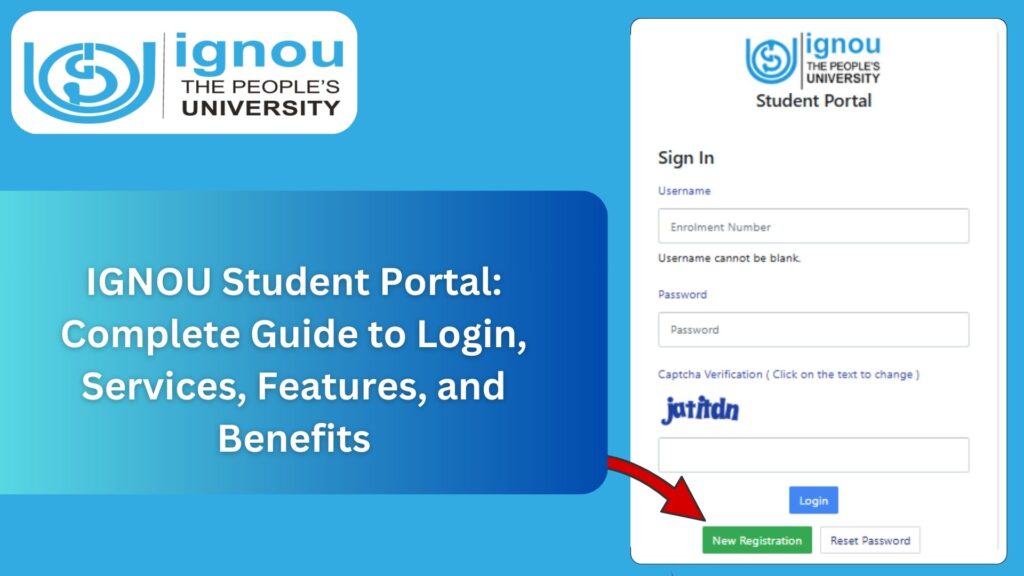
IGNOU Student Portal: The Indira Gandhi National Open University, commonly known as IGNOU, is one of the largest open universities in the world. With millions of learners spread across India and abroad, IGNOU has developed several online platforms to simplify academic services for students. Among all the digital resources available, the IGNOU Student Portal stands out as the most important platform for students enrolled in any IGNOU program.
The student portal provides access to academic details, personal information, course materials, assignments, results, grade cards, hall tickets, re-registration, admission updates, and more. It serves as a one-stop solution for all academic activities throughout the student’s journey at IGNOU.
This article provides a complete guide to the IGNOU Student Portal, explaining how to access it, how to log in, what services it offers, how to retrieve your password, and how students can use the portal efficiently. It also includes a table of important links, FAQs, and a detailed conclusion.

To access the official student portal, visit:
IGNOU Student Portal Link: https://ignou.samarth.edu.in/
What Is the IGNOU Student Portal?
The IGNOU Student Portal is an official online platform developed under the SAMARTH initiative to offer centralized digital access to IGNOU students. It is designed for both newly admitted students and existing learners. The portal allows students to manage their academics independently without visiting a regional center for every small query.
Earlier, IGNOU had multiple separate systems for admission, assignment submission, results, and examination form. The student portal now integrates many of these services in one place, making it easier for students to check their academic progress and stay updated.
The portal operates 24×7, which means students can access all services anytime from anywhere.
Key Objectives of the IGNOU Student Portal
The primary objectives of the IGNOU Student Portal include:
- Providing a centralized login system for students.
- Offering academic services digitally for convenience.
- Reducing the workload at regional centers through online support.
- Ensuring faster updates for assignment status, results, and grade cards.
- Making student information easily accessible, including profile, program details, and study centers.
- Offering a seamless experience to monitor academic progress.
How to Access the IGNOU Student Portal?
Accessing the student portal is simple and requires only your registered username and password. Follow the steps below to log in.
Step 1: Open the Official Link
Visit the official student portal using the link provided:
IGNOU Student Portal: https://ignou.samarth.edu.in/
Step 2: Enter Username
Your username is your registered enrollment number.
Step 3: Enter Password
Enter your password created during admission.
If you forget it, you can easily reset it using the “Forgot Password” option.
Step 4: Click on Login
Once you click “Login,” you will be redirected to your student dashboard where you can access all available services.
Services Available on the IGNOU Student Portal
The portal offers a wide range of services. Below is a detailed overview of all the major features.
1. Student Profile Dashboard
This section displays your personal details, enrollment number, program code, regional center, study center, admission session, and other basic information.
2. Course Details
You can check all course-related information, including:
- Course codes
- Credits
- Compulsory and elective subjects
- Course validity
- Exam eligibility
3. Assignment Submission Status
Students can check the status of assignment submission for each subject.
It displays:
- Received or Not Received status
- Marks once updated
- Last updated date
4. Term End Examination (TEE) Form Submission
You can apply online for Term End Exams using your portal.
5. Grade Card
The grade card section allows you to check:
- Assignment marks
- Theory marks
- Practical marks
- Overall grade
6. Program Details and Syllabus
The syllabus, course structure, and credit system can be viewed directly from the dashboard.
7. Hall Ticket / Admit Card Download
Whenever IGNOU releases the TEE hall ticket, students can download it directly from their portal.
8. Results and Marksheets
Your:
- Assignment result
- TEE result
- Practical result
can be accessed in one place.
9. ID Card Download
Your IGNOU student ID card is available for download after admission confirmation.
10. Re-Registration
Students in their second year or next semester can complete re-registration using the portal.
11. Course Material / eGyankosh Access
The portal provides direct links to study materials and resources available in eGyankosh.
12. Communication & Notifications
All official notifications, including updates regarding exams, assignments, and results, are available on the dashboard.
Importance of the IGNOU Student Portal
The portal plays an essential role in providing full academic support. Its significance can be understood through the following points:
Centralized Access
Students no longer need to visit multiple IGNOU websites.
Transparent Updates
All updates regarding assignments, exams, or results are displayed clearly.
Reduces Physical Workload
No need to visit centers for routine queries.
Ensures Academic Accuracy
Students can verify and track everything, reducing errors.
IGNOU Student Portal Login Issues and Solutions
Many students face login issues while accessing their student portal. Here are common problems and solutions.
1. Invalid Login Credentials
Solution:
- Check if you entered the correct enrollment number.
- Reset your password.
2. Password Forgotten
Solution:
- Click on “Forgot Password”
- Enter enrollment number or registered email
- Follow the steps to reset
3. Server Down
This happens during peak hours.
Solution:
- Try after 10–15 minutes.
4. Incorrect Enrollment Number
Make sure your enrollment number belongs to the respective session.
How to Reset IGNOU Student Portal Password?
If you forget your password, follow these steps:
- Visit https://ignou.samarth.edu.in/
- Click on “Forgot Password”
- Enter your enrollment number
- Enter registered email/mobile number
- You will receive a reset link
- Create a new password and login again
Important IGNOU Links and Information
| Purpose | Link |
|---|---|
| IGNOU Student Portal Login | https://ignou.samarth.edu.in/ |
| Admission Status | https://isms.ignou.ac.in/changeadmdata/AdmissionStatusNew.ASP |
| Grade Card | https://gradecard.ignou.ac.in/ |
| Assignment Status | https://admission.ignou.ac.in/changeadmdata/StatusAssignment.ASP |
| Student ID Card Download | https://ignou.samarth.edu.in/ |
| Re-Registration | https://onlinerr.ignou.ac.in/ |
| IGNOU Admission | https://ignouadmission.samarth.edu.in/ |
Benefits of Using the IGNOU Student Portal
1. Saves Time
Students can access everything online without delays.
2. Reduces Errors
Assignment marks, results, and grade cards are updated digitally, reducing manual mistakes.
3. Better Transparency
All academic updates are visible in real time.
4. Easy Communication
Notifications ensure you never miss important deadlines.
5. Complete Accessibility
Students living in rural areas benefit the most as they can use the portal anytime.
How to Use the Portal Effectively?
To get the best out of your IGNOU student portal:
- Check the portal every week for updates
- Download your ID card as soon as admission is confirmed
- Monitor your assignment and exam status regularly
- Keep your registered mobile email updated
- Take screenshots of important updates or marks
Common Mistakes Students Make
1. Not checking portal regularly
This results in missing assignment deadlines.
2. Not updating email/mobile
Leads to notification issues.
3. Ignoring error messages
If any detail is incorrect, contact the regional center immediately.
4. Forgetting login password
Always save login details safely.
FAQ about IGNOU Student Portal
What is the official IGNOU student portal link?
The official link is: https://ignou.samarth.edu.in/
Who can use the IGNOU student portal?
All registered IGNOU students can use the portal.
Can I download my ID card from the portal?
Yes, once your admission is confirmed, you can download your ID card.
What if I forget my password?
You can reset your password using the “Forgot Password” option.
Does the portal show assignment status?
Yes, assignment submission status and marks are visible.
Can I apply for re-registration from the portal?
Yes, there is a dedicated link for re-registration.
Does the portal show grade card details?
Yes, students can check updated grade card details anytime.
Can I check hall tickets from the portal?
Yes, hall tickets are available before Term End Exams.
Is the portal available 24×7?
Yes, the portal remains active at all times except during maintenance.
Can I change my email or mobile number?
Yes, you can update details by contacting your regional center.
Conclusion
The IGNOU Student Portal is an essential digital tool for every IGNOU learner. It provides centralized access to almost every academic service including assignment status, admission details, grade card, exam form, ID card, and results. The portal enhances transparency, minimizes physical visits, and ensures a smooth academic journey for students enrolled in various programs.
Whether you are a new student or continuing your studies, regularly checking your student portal is crucial for staying updated and completing all academic requirements on time.
To access your portal anytime, simply visit:
IGNOU Student Portal: https://ignou.samarth.edu.in/
Use the portal smartly, stay updated, and manage your IGNOU academic journey effectively.