
IGNOU Students Portal: Complete Guide to Login, Features, Services and Benefits 2025

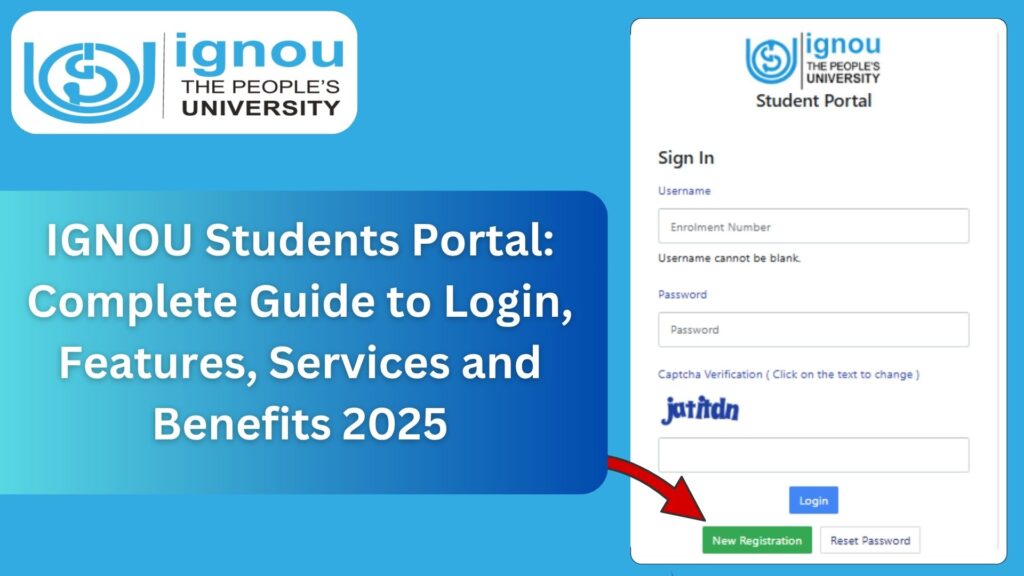
IGNOU Students Portal: The Indira Gandhi National Open University (IGNOU) is one of the largest open universities in the world, serving millions of learners across India and abroad. With such a massive student base, IGNOU has developed modern technological solutions to ensure smooth academic operations. One of the most important digital systems created for students is the IGNOU Students Portal.
The IGNOU Students Portal acts as a centralized academic platform where learners can access essential services such as admission details, course information, identity card, hall ticket, grade card, exam forms, re-registration, and much more. Whether a student is enrolled in a certificate program, diploma, undergraduate, postgraduate, or online course, the student portal plays a crucial role in managing the learning journey efficiently.

This article provides a complete guide on the IGNOU Students Portal, including features, login steps, services, troubleshooting support, important links, FAQs, and a detailed conclusion. The objective is to help IGNOU learners understand the purpose and functioning of the portal in 2025, so that they can use it effectively throughout their academic journey.
Direct Link to Access IGNOU Students Portal
The official link to access the IGNOU Students Portal is: https://ignou.samarth.edu.in
Students can use this link to visit the portal homepage and log in using their enrollment number and password.
What Is the IGNOU Students Portal?
The IGNOU Students Portal is an integrated online platform created for all registered learners of IGNOU. It brings multiple services together in a single system, enabling students to check their academic records, download documents, update details, submit requests, and stay informed about their program.
This portal is built on the SAMARTH framework, which is an advanced e-governance platform designed for Indian educational institutions. The purpose of the portal is to simplify and digitize various academic processes so that students do not face inconvenience or delays in receiving essential information.
By logging into the IGNOU Students Portal, learners can manage their academic profiles from anywhere and at any time. It offers transparency, accuracy, and timely updates related to registration, assignments, exams, and results.
Importance of IGNOU Students Portal in 2025
In 2025, as IGNOU continues to expand its digital footprint, the Students Portal remains at the center of all academic activities. The modern education system demands greater accessibility and digital readiness. For students living in different parts of the world, the portal becomes an essential academic support system.
The portal is especially helpful for:
- Working professionals pursuing IGNOU programs
- Students living in remote or rural areas
- Learners balancing jobs, family, and education
- International students pursuing IGNOU courses
With the help of this portal, students can avoid physical visits to regional centres and manage their educational activities online.
Key Features of IGNOU Students Portal
The IGNOU Students Portal offers a wide range of features that support learners throughout their academic life. Some of the core features include:
1. Student Login Dashboard
Once you log in using your enrollment number, you land on a personalized dashboard that displays:
- Student name and profile
- Enrollment number
- Program details
- Recent notifications
The dashboard serves as a quick access point for all other sections.
2. Profile and Personal Information
Students can view and update their personal data such as:
- Name (in special cases)
- Contact number
- Email address
- Address details
Keeping this information updated ensures smooth communication with IGNOU.
3. Admission Status
The portal displays the student’s admission confirmation status. Students can check whether their documents are verified and whether the registration is approved.
4. Digital Identity Card
Upon admission approval, students can download their IGNOU Digital ID Card directly from the portal. This card is required for exams, practical sessions, and official verification.
5. Course Registration and Details
The portal displays:
- Registered courses
- Semester or year-wise course structure
- Course codes
- Study centre allocation
- Regional centre details
This helps students track their academic progress.
6. Assignment Information
Students can check assignment submission notifications and track their assignment marks under the results section. While the full assignment status portal is separate, essential details appear on the students portal.
7. Exam Form and Hall Ticket
Students can:
- Fill the term-end exam form
- Download the hall ticket before exams
- View exam center details
8. Grade Card and Results
Students can see updated marks for:
- Assignments
- Practical exams
- Theory exams
- Project submissions
9. Re-registration
The portal helps students check their program validity and provides re-registration-related information.
10. Fee Information and Receipts
Students can download fee receipts for:
- Admission fees
- Re-registration fees
- Exam fees
Receipts are important for future reference and academic verification.
11. Grievances and Helpdesk
Students can raise issues through the support system and track the status of their complaints.
12. Notifications and Updates
Important announcements from IGNOU, such as exam schedules, assignment deadlines, and new guidelines, are displayed on the portal dashboard.
How to Login to IGNOU Students Portal? Step-by-Step Guide
Follow the steps below to log in successfully:
Step 1: Visit the Official Portal
Open the link in your browser:
https://ignou.samarth.edu.in/
Step 2: Click on Login
On the homepage, you will see the login option.
Step 3: Enter Enrollment Number
Type your valid enrollment number in the required field.
Step 4: Enter Password
Enter your password created during registration.
Step 5: Click on Login Button
You will now be redirected to your student dashboard.
If login fails, follow the troubleshooting section below.
How to Reset Password on IGNOU Students Portal?
To reset your password, follow these steps:
- Open the login page.
- Click on the “Forgot Password” option.
- Enter your enrollment number.
- Enter your registered email ID.
- A password-reset link will be sent to your email.
- Click the link and create a new password.
Make sure your new password is strong and easy to remember.
Important Links for IGNOU Students Portal
Below is a table containing important IGNOU links that students should regularly use:
| Service Description | Link |
|---|---|
| IGNOU Students Portal | https://ignou.samarth.edu.in/ |
| Login Page | https://ignou.samarth.edu.in/index.php/site/login |
| Admission Status | Available after logging in |
| ID Card Download | Inside Students Portal Dashboard |
| Grade Card | Under Results section in the portal |
| Hall Ticket | Available before term-end exams |
| Re-registration Details | Inside the Student Dashboard |
| Exam Form Filling | Link activates before exam season |
These links are essential for navigating IGNOU’s academic processes.
Advantages of Using IGNOU Students Portal
The IGNOU Students Portal offers several benefits:
1. Centralized Academic Services
Students no longer need to visit different IGNOU websites. Everything is available on a single platform.
2. Time-Saving and Efficient
Learners can save a lot of time as most services are available online.
3. Real-Time Academic Updates
The portal continuously updates marks, notifications, ID cards, and other details.
4. Easy Access from Anywhere
Students can access the portal on mobile, computer, or tablet.
5. Secure Student Information
Personal and academic details are safely stored on a secure system.
6. Helps Monitor Academic Progress
Students can track assignments, exams, grades, and program validity.
Common Problems Students Face on IGNOU Portal and Solutions
1. Login Error
Reason: Wrong password or enrollment number
Solution: Reset password or check credentials carefully.
2. Password Reset Email Not Received
Reason: Email not updated or entered incorrectly
Solution: Use your original admission email or update the email through support.
3. Server Busy
Reason: High traffic during exam or admission deadlines
Solution: Try again after some time.
4. Dashboard Not Updating
Reason: Regional centre delays in updating documents
Solution: Wait for official updates or contact your regional centre.
5. ID Card Not Showing
Reason: Admission not yet approved
Solution: Check admission status after 1–2 days.
How IGNOU Students Portal Helps Distance Learners?
Distance learning requires strong digital support, and the IGNOU Students Portal plays an integral role in ensuring that students receive timely updates and seamless access to academic services.
The portal helps with:
- Reducing dependency on physical visits
- Allowing flexible learning
- Providing 24/7 accessibility
- Offering complete transparency
- Ensuring students stay academically engaged
Many students often rely on this portal to stay on track throughout their program duration.
Difference Between IGNOU Students Portal and IGNOU Main Website
IGNOU Students Portal
- Intended only for registered students
- Requires login credentials
- Shows personal academic information
- Provides fee receipts, ID cards, hall tickets, results
IGNOU Main Website
- Provides general information
- Useful for new admissions, notifications, circulars
- Does not show personal student details
Both platforms complement each other, but the Students Portal is essential for enrolled learners.
How to Use the Portal Safely?
Students should follow these safety tips:
- Do not share your enrollment number or password with anyone.
- Always log in using the official link.
- Keep your email and mobile number updated.
- Download receipts and academic documents regularly.
- Avoid logging in from public computers.
FAQ about IGNOU Students Portal
What is the IGNOU Students Portal?
It is an online platform where IGNOU students can log in and access academic services such as ID cards, grade cards, hall tickets, program details, and more.
What is the link to access the IGNOU Students Portal?
The link is: https://ignou.samarth.edu.in/
Who can use the portal?
Any registered IGNOU student enrolled in certificate, diploma, undergraduate, postgraduate, or online programs.
Can I download my IGNOU ID Card from the portal?
Yes, you can download your ID card once your admission is approved.
What should I do if I forget my password?
Use the “Forgot Password” option on the login page.
Does the portal show assignment marks?
Assignment marks are reflected under the results section when updated by IGNOU.
Is the student portal mobile friendly?
Yes, it works smoothly on smartphones.
Can I track my admission status on the portal?
Yes, you can check your admission approval status after logging in.
Conclusion
The IGNOU Students Portal is a vital tool for every IGNOU learner. It simplifies academic management by bringing essential services onto a single platform. Whether it is checking admission status, downloading the ID card, tracking grades, filling exam forms, or accessing personal information, the Students Portal makes everything accessible and efficient.
In the rapidly evolving digital education era, IGNOU’s adoption of the SAMARTH platform strengthens student support and enhances the overall distance learning experience. By understanding how to use the portal effectively, learners can manage their academic journey with confidence and avoid unnecessary delays or confusion.
Students are encouraged to log in regularly to stay updated on important notifications, deadlines, and academic progress. With consistent use, the IGNOU Students Portal becomes an indispensable companion that supports learners throughout their entire program.