
IGNOU Grade Card Status 2026: Check Your Marks Online Instantly (Step-by-Step Guide)

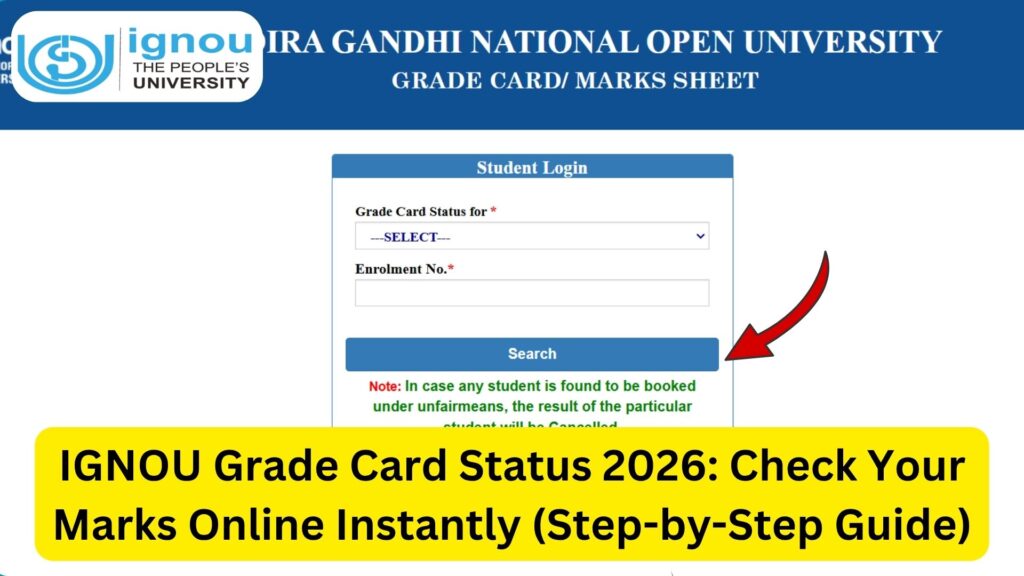
IGNOU Grade Card Status 2026: The Indira Gandhi National Open University (IGNOU) follows a unique evaluation system that combines assignments, term-end examinations, and practical or project work. One of the most important tools for students to track their academic progress is the IGNOU Grade Card.
Whether you are pursuing a bachelor’s degree, master’s program, diploma, or certificate course, regularly checking your IGNOU grade card status is essential. It helps you stay updated about marks, completion status, and eligibility for the next academic steps.

In this detailed guide, you will learn everything about IGNOU grade card status, including how to check it, how to read it, how marks are calculated, common issues, and solutions.
What is IGNOU Grade Card?
The IGNOU Grade Card is an online record that reflects a student’s academic performance. It includes:
- Assignment marks
- Term-End Exam (TEE) marks
- Practical marks (if applicable)
- Project marks
- Completion status
Unlike a traditional marksheet, the grade card is updated regularly and acts as a real-time progress report.
Official Link to Check IGNOU Grade Card Status
You can check your grade card status using the link below: https://www.bookhouseadda.com/ignou-grade-card/
Importance of IGNOU Grade Card
The grade card is a crucial document because:
- It shows your academic progress
- Helps verify marks and grades
- Confirms course completion
- Required for applying for certificates
- Helps identify missing or pending components
Students must regularly monitor their grade card to avoid delays in course completion.
Important Links and Information
Below is a table containing essential links and details related to IGNOU grade card:
| Purpose | Details / Link |
|---|---|
| Check Grade Card Status | https://www.bookhouseadda.com/ignou-grade-card/ |
| IGNOU Official Website | https://www.ignou.ac.in |
| Assignment Status | https://isms.ignou.ac.in/changeadmdata/StatusAssignment.asp |
| Exam Form Portal | https://exam.ignou.ac.in |
| Student Zone | https://www.ignou.ac.in/ignou/studentzone |
| Marksheet Dispatch Status | https://onlineservices.ignou.ac.in/idms/ |
| Regional Centres | https://www.ignou.ac.in/ignou/aboutignou/regional/website |
| Helpline Number | 011-29572513 |
| Student Support Email | ssc@ignou.ac.in |
Step-by-Step Process to Check IGNOU Grade Card Status
Follow these steps to check your grade card:
Step 1: Visit the Grade Card Portal
Open the link provided above.
Step 2: Enter Enrollment Number
Enter your enrollment number correctly.
Step 3: Select Program
Choose your program from the list.
Step 4: Submit Details
Click on the “Submit” button.
Step 5: View Grade Card
Your grade card will appear on the screen with all subject details.
Components of IGNOU Grade Card
The grade card consists of several components:
1. Assignment Marks
Assignments carry a significant weightage and must be submitted on time.
2. Term-End Exam Marks
Marks obtained in written exams.
3. Practical Marks
Applicable for courses with practical components.
4. Project Marks
Included in programs requiring project work.
5. Status Column
Indicates whether a subject is completed or not.
Understanding IGNOU Grade Card Status
You may come across different status indicators:
1. Completed
All requirements for the subject are fulfilled.
2. Not Completed
One or more components are missing.
3. Grade Not Updated
Marks have not yet been uploaded.
4. Absent
You did not appear for the exam.
How IGNOU Calculates Final Marks
IGNOU uses a combination of internal and external evaluation:
- Assignments: Usually 30% weightage
- Term-End Exams: Usually 70% weightage
Both components must be passed separately.
Minimum Passing Marks
To pass a subject, students must:
- Score at least 40% in TEE (for most courses)
- Submit assignments
- Pass both components individually
Failing in any component leads to incomplete status.
Common Issues in IGNOU Grade Card
Students often face the following issues:
1. Marks Not Updated
- Happens due to evaluation delays
- Usually updated within a few weeks
2. Assignment Marks Missing
- Check submission status
- Contact study centre
3. Incorrect Marks
- Report to IGNOU authorities
- Provide supporting documents
4. Status Showing “Not Completed”
- Ensure all components are cleared
- Reappear if necessary
How to Resolve Grade Card Issues
If you face any problems:
- Check assignment and exam status
- Contact your study centre
- Reach out to regional centre
- Email IGNOU support
- Keep proof of submission
IGNOU Grade Card vs Marksheet
| Feature | Grade Card | Marksheet |
|---|---|---|
| Format | Online | Physical |
| Updates | Regular | After completion |
| Purpose | Progress tracking | Official record |
| Access | Online | Delivered by post |
When is the Grade Card Updated?
The grade card is updated:
- After exam results are declared
- After assignment evaluation
- After project evaluation
Updates may take time, so students should be patient.
Importance of Regular Checking
Regularly checking your grade card helps you:
- Identify missing marks
- Track progress
- Avoid last-minute issues
- Plan exams and assignments
IGNOU Grade Card for Different Programs
Grade cards are available for:
- Undergraduate courses (BA, BCom, BSc)
- Postgraduate courses (MA, MCom, MSc)
- Diploma and certificate programs
The format may vary slightly depending on the program.
Tips for Students
- Keep enrollment details ready
- Check grade card regularly
- Maintain assignment records
- Prepare for re-exams if needed
- Contact IGNOU for discrepancies
What to Do After Course Completion
Once your grade card shows all subjects as “Completed”:
- Apply for certificate
- Register for convocation
- Download provisional certificate
- Wait for marksheet delivery
FAQ about IGNOU Grade Card Status 2026
How can I check my IGNOU grade card status?
You can check it online using your enrollment number.
What does “Not Completed” mean?
It means some components like assignments or exams are pending.
How long does it take to update marks?
It may take a few weeks after results are declared.
Can I pass if I fail in assignments?
No, you must pass both assignments and exams.
What should I do if marks are missing?
Contact your study centre or regional centre.
Is grade card the same as marksheet?
No, grade card is online, while marksheet is a physical document.
Can I improve my marks?
Yes, by reappearing in exams.
Is the grade card important for jobs?
It is useful, but the final marksheet is more important.
Conclusion
The IGNOU Grade Card is a vital tool for tracking your academic journey. It provides a clear picture of your performance and helps you identify areas that need attention. By regularly checking your grade card status, you can ensure that all your marks are updated correctly and take timely action if any issues arise.
Understanding how the grade card works, how marks are calculated, and how to resolve problems will help you stay on track and complete your program smoothly. Always keep your records organized and stay in touch with IGNOU support if needed.
To check your IGNOU grade card status, use the link below:
https://www.bookhouseadda.com/ignou-grade-card/
With proper awareness and consistent monitoring, you can successfully manage your academic progress and achieve your educational goals through IGNOU.