
IGNOU ID Card Download 2026: Complete Step-by-Step Guide for Students

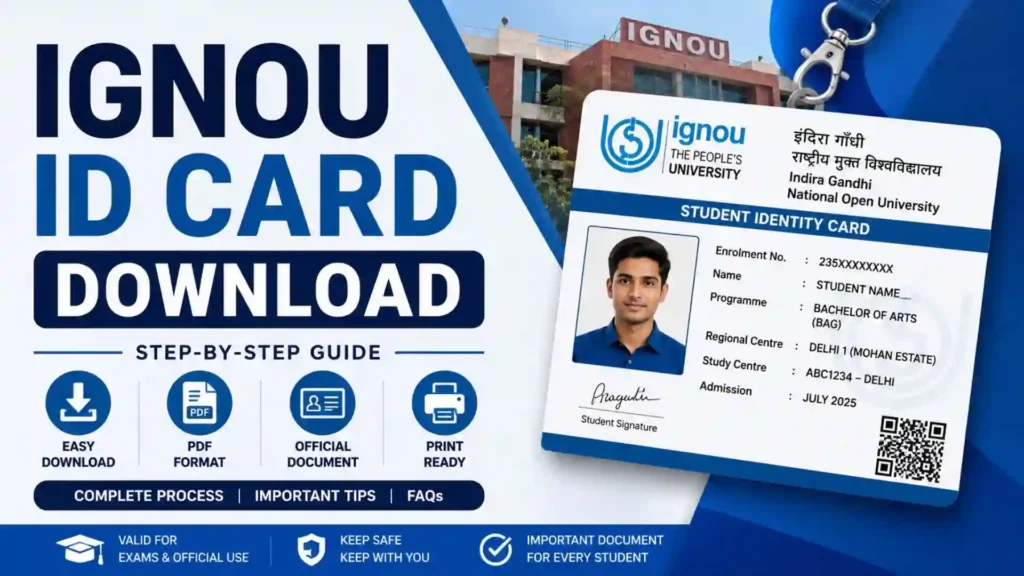
IGNOU ID Card Download 2026: The IGNOU ID Card is one of the most important documents every student must carry throughout their academic journey. Whether you are attending practical classes, visiting your Regional Centre, appearing for the Term-End Examination (TEE), submitting assignments, or using university services, your IGNOU Identity Card serves as proof of your enrollment.
Many students are confused about where to download the IGNOU ID Card, how to print it, what to do if it is lost, or how to access it after admission confirmation. This complete guide explains everything you need to know about the IGNOU ID Card Download process, eligibility, troubleshooting, printing instructions, and frequently asked questions.

If you have recently taken admission to IGNOU or are preparing for examinations, this guide will help you download your ID card quickly and correctly.
Important Links and Information
| Information | Details |
|---|---|
| Download IGNOU ID Card | IGNOU ID Card |
| University | Indira Gandhi National Open University (IGNOU) |
| Available For | Newly admitted and existing students |
| Required Login | Enrollment Number and Password |
| Download Mode | Online |
| File Format | |
| Print Recommendation | Color Print (Preferred) |
| Validity | Until completion of the program |
| Required During Exams | Yes |
| Required at Study Centre | Yes |
| Required at Regional Centre | Yes |
What is the IGNOU ID Card?
The IGNOU ID Card is an official identity document issued by Indira Gandhi National Open University after your admission is successfully confirmed.
It contains your personal and academic information, including your:
- Student Name
- Enrollment Number
- Program Code
- Photograph
- Father’s or Guardian’s Name
- Regional Centre
- Study Centre
- Admission Session
- Student Signature (if applicable)
- QR Code or verification details (depending on the latest format)
Every student receives a digital version of the ID card through the IGNOU Student Portal after admission confirmation.
Why is the IGNOU ID Card Important?
The IGNOU Identity Card is required throughout your academic program. Without it, you may face difficulties accessing university services.
Some important uses include:
- Appearing in Term-End Examinations
- Visiting Regional Centres
- Entering Study Centres
- Practical Examinations
- Viva Examination
- Project Submission
- Assignment Submission (in some centres)
- Library Access
- Student Verification
- Academic Support Services
- Identity Verification during university activities
Students should always keep both a digital copy and a printed copy of their ID card.
Who Can Download the IGNOU ID Card?
The ID card can be downloaded by:
- Newly admitted students
- Re-registered students
- Distance learning students
- Online learning students
- Undergraduate students
- Postgraduate students
- Diploma students
- Certificate course students
Once the admission process is completed and confirmed by IGNOU, the ID card becomes available in the student portal.
Documents Required Before Downloading
Before downloading your IGNOU ID Card, keep the following information ready:
- Enrollment Number
- Password created during admission
- Registered Mobile Number (if required)
- Registered Email ID
- Internet Connection
- PDF Reader
Having these details ready makes the download process quick and smooth.
How to Download IGNOU ID Card Online?
Downloading the IGNOU ID Card is a simple process. Follow these steps carefully.
Step 1: Visit the Student Portal
Open the official IGNOU Student Portal.
Step 2: Login
Enter your:
- Enrollment Number
- Password
Complete the security verification if prompted.
Step 3: Open Dashboard
After successful login, you will enter your student dashboard.
Here you can access various student services.
Step 4: Find the ID Card Option
Look for the section labeled:
- ID Card
- Student ID Card
- Download ID Card
Click on it.
Step 5: Download PDF
Your IGNOU ID Card will open in PDF format.
Click the Download button.
Save the file on your computer or mobile phone.
Step 6: Print the ID Card
Open the downloaded PDF.
Print it on good-quality paper.
If possible, use color printing for better clarity.
Information Available on the IGNOU ID Card
Your ID card usually contains the following information.
Student Name
Your full registered name.
Enrollment Number
A unique number assigned by IGNOU.
Program Code
Shows your enrolled course such as:
- BAG
- BCOMG
- BCA
- MCA
- MBA
- MA
- MCOM
- MPS
- MEG
- BSCG
Photograph
The same photograph uploaded during admission.
Regional Centre
Your assigned Regional Centre.
Study Centre
The centre where academic support is provided.
Admission Session
Displays the admission cycle.
University Details
Contains IGNOU branding and official information.
When Should You Download the ID Card?
Students should download the ID card immediately after admission confirmation.
Do not wait until examination time.
Having the ID card ready helps avoid last-minute problems.
Can You Use the Digital ID Card?
Yes.
Many Regional Centres accept the digital PDF version stored on your mobile phone.
However, for examinations and official verification, carrying a printed copy is always recommended.
How to Print the IGNOU ID Card?
Printing the ID card correctly is important.
Follow these tips:
- Use A4 size paper.
- Print in color if possible.
- Ensure all text is readable.
- Do not crop the document.
- Do not modify the information.
- Keep multiple copies for future use.
- Laminate the printed copy if needed.
A laminated ID card remains safe throughout your course.
What if You Forget Your Login Password?
If you cannot log in to the student portal:
- Use the Forgot Password option.
- Enter your registered email address.
- Verify your identity.
- Create a new password.
- Log in again.
After resetting the password, you can download the ID card without any issue.
What if the ID Card is Not Available?
Sometimes students cannot see the ID card after admission.
Possible reasons include:
Admission Not Confirmed
Your admission may still be under verification.
Processing Delay
IGNOU may take some time to update student records.
Incorrect Login
Ensure you are using the correct Enrollment Number and password.
Technical Maintenance
The student portal may be temporarily unavailable.
In such cases, wait for some time and try again.
Lost Your Printed ID Card?
Do not worry.
Simply log in to the student portal again.
Download the PDF.
Print another copy.
Since the ID card is available online, you can download it multiple times.
Can the ID Card be Edited?
No.
Students should never edit or alter the ID card.
Changing:
- Name
- Photograph
- Enrollment Number
- Course Details
may make the document invalid.
Always use the original PDF generated by IGNOU.
Is the ID Card Required During Term-End Examination?
Yes.
Students are generally required to carry:
- IGNOU Hall Ticket
- IGNOU ID Card
Along with a valid government-issued photo identity if instructed by the examination centre.
Without proper identification, entry into the examination hall may be delayed or denied according to university guidelines.
Is the ID Card Required for Assignment Submission?
Some Study Centres ask students to present their ID card while submitting assignments.
Although procedures vary across centres, carrying your ID card is always a good practice.
Is the ID Card Required for Practical Exams?
Yes.
Students appearing for:
- Laboratory Practical
- Viva
- Internship
- Project Evaluation
should carry their IGNOU ID Card.
Can Mobile Phones Store the ID Card?
Yes.
Students can save the PDF in:
- Mobile Phone
- Google Drive
- OneDrive
- Dropbox
Keeping multiple copies helps prevent data loss.
Common Problems During IGNOU ID Card Download
Many students experience similar issues.
Login Failed
Check:
- Enrollment Number
- Password
- Internet Connection
PDF Not Opening
Install an updated PDF Reader.
Blank Page
Refresh the browser and download again.
Incorrect Details
Contact your Regional Centre if your personal details are incorrect.
Slow Website
Try downloading during non-peak hours.
Tips to Keep Your IGNOU ID Card Safe
Follow these best practices:
- Download immediately after admission.
- Keep both digital and printed copies.
- Store the PDF on multiple devices.
- Do not share the PDF publicly.
- Protect your login credentials.
- Replace damaged printouts promptly.
- Carry the ID card during all official university visits.
Difference Between IGNOU ID Card and Hall Ticket
Many students confuse these two documents.
| IGNOU ID Card | IGNOU Hall Ticket |
|---|---|
| Issued after admission | Issued before examinations |
| Valid throughout the course | Valid for a specific examination |
| Student identity proof | Exam entry document |
| Used for multiple university services | Used only during exams |
| Downloaded from Student Portal | Downloaded before Term-End Examination |
Both documents serve different purposes and should be kept safely.
Benefits of Having a Printed IGNOU ID Card
A printed copy offers several advantages.
- Easy verification
- Faster entry into examination centres
- Convenient during Regional Centre visits
- Useful for library access
- Accepted during practical examinations
- Safer than relying only on a mobile device
Keeping a laminated copy ensures durability throughout your academic program.
Best Practices After Downloading
After downloading your ID card:
- Verify all personal information.
- Check your photograph.
- Confirm your enrollment number.
- Save the PDF in multiple locations.
- Print at least two copies.
- Laminate one copy.
- Carry it whenever visiting an IGNOU centre.
Following these simple steps helps avoid inconvenience later.
FAQ about IGNOU ID Card Download 2026
What is the IGNOU ID Card?
It is the official identity document issued by IGNOU after your admission is confirmed.
Can I download the IGNOU ID Card online?
Yes. Students can download it through the official IGNOU Student Portal after logging in.
Is the IGNOU ID Card mandatory for examinations?
Yes. Students are generally required to carry the ID card along with the hall ticket and any other identity documents specified by the examination centre.
Can I print the ID card in black and white?
Yes, but a color print is generally recommended because it makes the photograph and details easier to verify.
What should I do if my ID card is not available?
Wait until your admission is confirmed. If the issue continues, contact your Regional Centre.
Can I download the ID card multiple times?
Yes. You can download it whenever needed after logging into the student portal.
What if I forget my password?
Use the password recovery option available on the student portal to reset your password.
Can I use the PDF version on my mobile?
Yes. A digital copy is useful, but carrying a printed copy is strongly recommended for official purposes.
Is the ID card valid for the entire course?
Yes. It generally remains valid until you complete your enrolled program.
Can I edit my IGNOU ID Card?
No. Students should never modify the official document. If any information is incorrect, contact the concerned IGNOU authorities for correction.
Conclusion
The IGNOU ID Card is one of the most essential documents for every student enrolled at Indira Gandhi National Open University. It serves as your official identity throughout your academic journey and is required for examinations, study centre visits, practical sessions, library access, and various university services.
Downloading the ID card is a straightforward process once your admission is confirmed. Students should log in to the IGNOU Student Portal, download the PDF, verify all details, and keep both digital and printed copies in a safe place. It is also advisable to laminate a printed copy to protect it from damage during the duration of the course.
By downloading your IGNOU ID Card as soon as it becomes available and following the best practices outlined in this guide, you can avoid unnecessary delays and ensure a smooth experience while pursuing your studies at IGNOU.