
IGNOU Login with Enrollment No: Complete Guide for Students (2026)

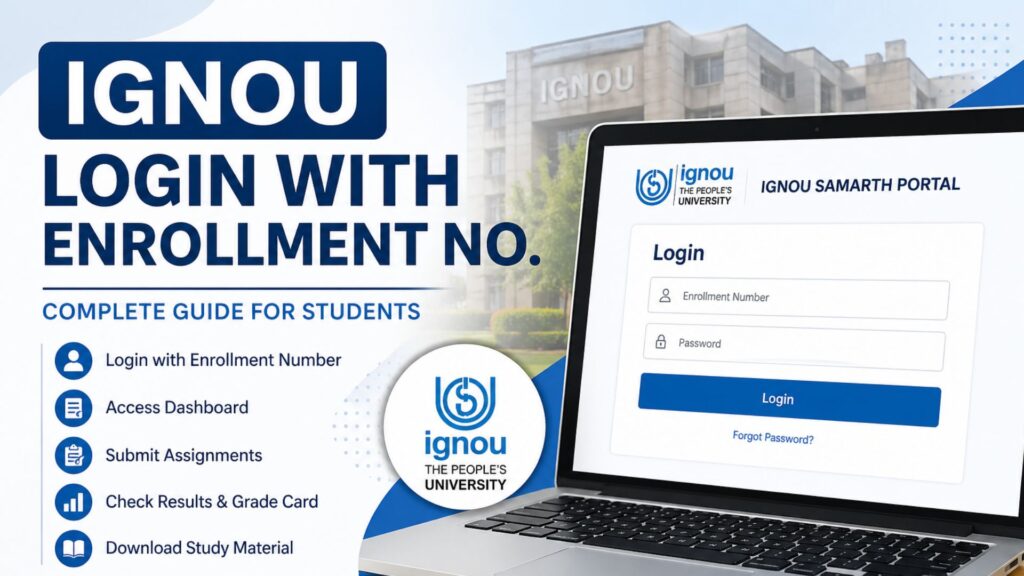
IGNOU Login with Enrollment No: Indira Gandhi National Open University (IGNOU) is one of the largest distance learning institutions in the world, serving millions of students across India and abroad. With the increasing digitization of academic services, IGNOU has made it easier for students to access their academic details, submit assignments, check results, and manage their profiles through its online portal.

One of the most essential features for students is the ability to access their account using their enrollment number. In this detailed guide, we will explore everything you need to know about IGNOU login with enrollment no, including step-by-step instructions, benefits, troubleshooting tips, and frequently asked questions.
What is IGNOU Login with Enrollment No?
The IGNOU login with enrollment no is a secure method that allows students to access the IGNOU Samarth portal using their unique enrollment number and password. The enrollment number is a 9-digit identification number assigned to each student at the time of admission.
This login system enables students to:
- Access their academic dashboard
- Check assignment submission status
- View grade cards and results
- Download study materials
- Update personal information
- Apply for exams and re-registration
The IGNOU Samarth portal acts as a centralized platform for all student-related activities.
Official IGNOU Login Portal
Students can access the official IGNOU login page through the following link:
https://ignou.samarth.edu.in/index.php/site/login
This portal is designed to provide a user-friendly experience and secure access to student data.
Important Links and Information
Below is a table containing essential links and key information related to IGNOU login and student services:
| Purpose | Description | Link |
|---|---|---|
| IGNOU Login Portal | Access your student dashboard | https://ignou.samarth.edu.in/index.php/site/login |
| Enrollment Number | Unique 9-digit student ID | Provided at admission |
| Password Reset | Recover forgotten password | Available on login page |
| Assignment Submission | Upload assignments online | Via student dashboard |
| Grade Card | Check academic performance | Through portal |
| Re-registration | Apply for next semester/year | Available after login |
| Exam Form | Submit term-end exam form | Accessible in dashboard |
| Study Material | Download course content | Through eGyankosh/portal |
Step-by-Step Guide: IGNOU Login with Enrollment No
Logging into your IGNOU account is a simple process. Follow these steps carefully:
Step 1: Visit the Login Page
Go to the official login page using the link provided above.
Step 2: Enter Enrollment Number
In the username field, enter your 9-digit enrollment number.
Step 3: Enter Password
Type your password that was created during registration.
Step 4: Click on Login
Click the “Login” button to access your dashboard.
Step 5: Access Your Dashboard
Once logged in, you will be redirected to your student dashboard where you can access all services.
Features Available After Login
After successfully completing the IGNOU login with enrollment no, students can access a wide range of features:
1. Student Dashboard
The dashboard provides a complete overview of your academic profile, including enrolled courses and status.
2. Assignment Submission
Students can upload their assignments directly through the portal without visiting study centers.
3. Grade Card and Results
You can check your marks, grades, and overall performance.
4. Course Materials
Download digital study materials and reference documents.
5. Exam Form Submission
Apply for Term-End Examinations (TEE) online.
6. Re-registration
Enroll for the next semester or academic year.
7. Profile Management
Update personal details such as address, email, and phone number.
Benefits of Using Enrollment Number for Login
Using the enrollment number for login offers several advantages:
1. Unique Identification
Each student has a unique enrollment number, ensuring secure access.
2. Easy Access
No need to remember multiple usernames; the enrollment number is sufficient.
3. Centralized System
All services are accessible from a single platform.
4. Time-Saving
Reduces the need to visit regional centers physically.
5. Secure Data Handling
Protects student data with login credentials.
Common Problems and Solutions
While using the IGNOU login with enrollment no, students may encounter certain issues. Here are some common problems and their solutions:
1. Forgot Password
Solution:
Click on the “Forgot Password” option on the login page and follow the instructions to reset your password.
2. Invalid Enrollment Number
Solution:
Ensure that you are entering the correct 9-digit number without spaces.
3. Login Page Not Loading
Solution:
Check your internet connection or try accessing the portal from a different browser.
4. Account Locked
Solution:
Wait for some time or contact IGNOU support for assistance.
5. Server Issues
Solution:
Try logging in during non-peak hours.
Tips for Smooth Login Experience
To avoid issues while accessing your IGNOU account, follow these tips:
- Always keep your enrollment number and password सुरक्षित
- Use a stable internet connection
- Avoid multiple login attempts
- Clear browser cache regularly
- Use updated browsers like Chrome or Edge
How to Recover Enrollment Number?
If you have forgotten your enrollment number, you can:
- Check your admission confirmation email
- Refer to your ID card issued by IGNOU
- Visit your regional center
- Check previous assignment or exam records
Security Guidelines for IGNOU Login
Maintaining the security of your account is crucial. Follow these best practices:
- Do not share your password with anyone
- Use a strong password with letters, numbers, and symbols
- Change your password regularly
- Log out after using public computers
- Avoid accessing your account on untrusted devices
Importance of IGNOU Login System
The online login system plays a significant role in enhancing the learning experience of IGNOU students:
- Promotes digital learning
- Ensures transparency in academic records
- Reduces paperwork
- Improves communication between students and university
- Enables quick access to academic services
FAQ about IGNOU Login with Enrollment No 2026
What is the enrollment number in IGNOU?
The enrollment number is a unique 9-digit identification number assigned to each student at the time of admission.
Can I login to IGNOU without enrollment number?
No, the enrollment number is mandatory for login to the IGNOU Samarth portal.
What should I do if I forget my password?
Use the “Forgot Password” option on the login page to reset your password.
Is IGNOU login available 24/7?
Yes, the portal is available 24/7, but it may experience downtime during maintenance.
Can I change my enrollment number?
No, the enrollment number is permanent and cannot be changed.
Why am I unable to login even with correct details?
This may be due to server issues or account lock. Try again later or contact support.
Is it safe to login using public computers?
It is not recommended. If necessary, always log out after use.
Can I access study materials after login?
Yes, study materials are available through the portal.
What browser is best for IGNOU login?
Google Chrome and Microsoft Edge are recommended.
How can I contact IGNOU for login issues?
You can contact your regional center or use the support options available on the portal.
Conclusion
The IGNOU login with enrollment no is an essential tool for students pursuing education through IGNOU. It simplifies access to academic services, enhances transparency, and saves time by providing a centralized digital platform.
By understanding the login process, utilizing available features, and following security guidelines, students can make the most of the IGNOU online system. Whether it is checking results, submitting assignments, or managing your academic profile, the IGNOU portal ensures that everything is just a few clicks away.
Students are advised to keep their login credentials safe and regularly check the portal for updates and notifications. With the right approach, the IGNOU login system can significantly improve your learning experience and academic management.