
IGNOU Student Portal 2026: Complete Guide to Login, Services, Registration, and Student Dashboard

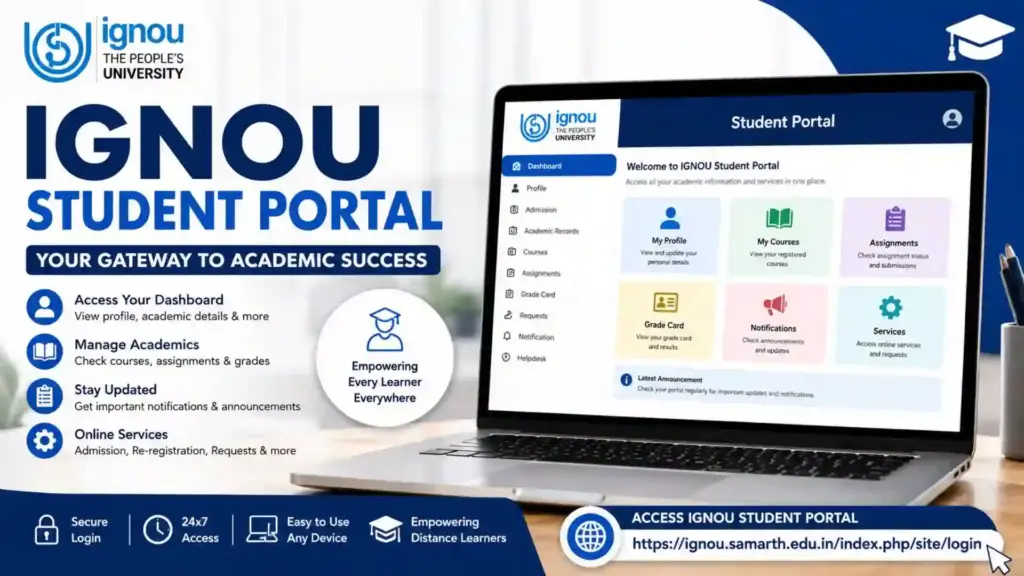
The IGNOU Student Portal is an essential online platform designed for students enrolled in Indira Gandhi National Open University (IGNOU). The portal serves as a centralized digital hub where students can access academic services, manage their profiles, track admission details, submit requests, view course information, and stay updated with university notifications.
As IGNOU continues to expand its digital infrastructure, the Student Portal has become one of the most important tools for distance learners. Whether you are a newly admitted student or a continuing learner, the portal helps simplify academic management and provides quick access to important student services.

Students can access the IGNOU Student Portal through the following link:
IGNOU Student Portal Login: https://ignou.samarth.edu.in/index.php/site/login
This comprehensive guide explains everything you need to know about the IGNOU Student Portal, including login procedures, available services, registration steps, troubleshooting issues, and frequently asked questions.
Important Links and Information
| Particulars | Details |
|---|---|
| University Name | Indira Gandhi National Open University (IGNOU) |
| Portal Name | IGNOU Student Portal |
| Portal Platform | Samarth Portal |
| Access Mode | Online |
| Portal Login Link | https://ignou.samarth.edu.in/index.php/site/login |
| User Type | IGNOU Students |
| Required Credentials | Username and Password |
| Available Services | Admission, Re-registration, Profile Management, Academic Information |
| Accessibility | 24×7 Online Access |
| Supported Programs | UG, PG, Diploma, Certificate, Professional Courses |
| Official Purpose | Student Academic Management |
What is the IGNOU Student Portal?
The IGNOU Student Portal is an online student management system developed to provide various academic and administrative services through a single dashboard.
The portal enables students to:
- Access personal information
- Manage academic records
- Track admission details
- View enrollment information
- Monitor academic progress
- Access university announcements
- Update student profiles
- Manage course-related activities
The portal reduces the need for physical visits to regional centers and allows students to perform many tasks online.
Why is the IGNOU Student Portal Important?
The Student Portal plays a vital role in the academic journey of IGNOU learners.
Some major benefits include:
Centralized Student Services
Students can access multiple services from a single platform.
Time Saving
Most administrative tasks can be completed online without visiting university offices.
Improved Communication
The portal provides important updates, notifications, and announcements.
Better Academic Management
Students can easily monitor their academic records and program details.
Secure Access
Personal academic information remains protected through login credentials.
Features of IGNOU Student Portal
The portal offers numerous features that help students manage their educational activities efficiently.
Student Dashboard
The dashboard provides an overview of student-related information.
Students can quickly access:
- Profile information
- Program details
- Enrollment information
- Academic updates
Admission Details
Students can view admission-related information, including:
- Enrollment status
- Program details
- Admission confirmation
- Registration records
Profile Management
Students can update and manage personal details.
Information may include:
- Contact details
- Address information
- Email address
- Personal profile data
Academic Information
The portal helps students access important academic records and updates.
Student Notifications
University announcements and student notices are often available through the portal.
Online Services
Various student services can be accessed directly through the dashboard.
How to Login to the IGNOU Student Portal?
Logging into the portal is a straightforward process.
Follow these steps:
Step 1
Visit the Student Portal:
https://ignou.samarth.edu.in/index.php/site/login
Step 2
Enter your Username.
Step 3
Enter your Password.
Step 4
Complete any security verification if required.
Step 5
Click on the Login button.
Step 6
You will be redirected to your student dashboard.
How to Register on the IGNOU Student Portal?
New users may need to register before accessing portal services.
Step 1
Visit the Student Portal login page.
Step 2
Select the registration option if available.
Step 3
Provide the required information.
Step 4
Verify your email address or mobile number.
Step 5
Create a secure password.
Step 6
Complete the registration process.
Step 7
Login using your newly created credentials.
Information Available on the Student Dashboard
The student dashboard contains several important sections.
Personal Information
This section includes:
- Student name
- Enrollment number
- Contact information
- Program details
Academic Profile
Students can view information related to:
- Courses
- Registration records
- Academic progress
Notifications
Important updates and announcements are displayed here.
Student Services
Various academic and administrative services can be accessed from this section.
Account Settings
Students can manage passwords and account preferences.
Services Available Through IGNOU Student Portal
The portal provides access to numerous services that support students throughout their academic journey.
Admission Management
Students can review admission-related details and records.
Re-registration Services
Continuing students can manage re-registration activities.
Academic Record Access
Important academic information can be viewed through the portal.
Profile Updates
Students can update personal information when required.
Communication Services
The portal helps facilitate communication between students and the university.
Digital Access
Students can access services from any location with internet connectivity.
Benefits of Using the IGNOU Student Portal
There are several advantages to using the portal regularly.
Convenience
Students can access university services anytime.
Reduced Paperwork
Many processes are digitized and handled online.
Quick Access to Information
Academic and administrative information becomes readily available.
Better Organization
Students can manage their academic records more effectively.
Improved Student Experience
The portal simplifies many aspects of distance education.
Common Login Problems and Solutions
Students occasionally face login-related issues.
Here are some common problems and their solutions.
Forgot Password
If you forget your password:
- Use the password recovery option.
- Verify your registered email or mobile number.
- Follow the reset instructions.
Incorrect Username
Ensure that the correct username is entered.
Double-check spelling and capitalization.
Account Locked
Multiple unsuccessful login attempts may temporarily lock the account.
Wait for some time before attempting again.
Website Not Loading
Possible reasons include:
- Internet connectivity issues
- Browser problems
- Temporary server maintenance
Try refreshing the page or using another browser.
Invalid Credentials
Verify that your login details are correct and updated.
Tips for Using the Student Portal Safely
Students should follow security best practices while using the portal.
Use Strong Passwords
Create passwords that are difficult to guess.
Avoid Sharing Credentials
Never share login information with others.
Logout After Use
Always log out when using public or shared devices.
Update Contact Information
Keep email addresses and mobile numbers updated.
Monitor Account Activity
Regularly review your profile information for accuracy.
IGNOU Student Portal for Distance Learners
Distance education requires students to manage many academic activities independently.
The Student Portal helps by providing:
- Online access to records
- Centralized academic information
- Convenient student services
- Reduced dependence on physical offices
- Better communication channels
This digital approach aligns with IGNOU’s mission of making education accessible across the country.
Difference Between Student Portal and Other IGNOU Services
Students often confuse the Student Portal with other IGNOU systems.
| Student Portal | Other IGNOU Portals |
| Centralized student dashboard | Specific service portals |
| Academic information management | Individual service access |
| Profile and account management | Task-specific functions |
| Student-focused services | Service-focused platforms |
| Single login environment | Separate systems for different purposes |
Understanding these differences helps students use the appropriate platform for their needs.
Best Practices for Students
To get maximum benefit from the Student Portal, students should:
- Login regularly.
- Check notifications frequently.
- Keep personal details updated.
- Save important documents.
- Maintain login credentials securely.
- Monitor academic records periodically.
- Stay informed about university announcements.
Regular portal usage helps students remain connected with university activities and avoid missing important updates.
Future of Digital Learning at IGNOU
The Student Portal represents IGNOU’s commitment to digital education and student convenience.
As online learning continues to evolve, students can expect:
- Enhanced digital services
- Improved user experience
- Better integration of student resources
- Faster access to academic information
- More efficient administrative processes
The portal will continue to play a significant role in supporting distance learners across India and abroad.
FAQ about IGNOU Student Portal 2026
What is the IGNOU Student Portal?
The IGNOU Student Portal is an online platform that provides students with access to academic and administrative services.
How can I access the IGNOU Student Portal?
You can access the portal through:
https://ignou.samarth.edu.in/index.php/site/login
What credentials are required for login?
Students generally need their username and password to access the portal.
Can I update my personal details through the portal?
Yes, many profile-related details can be managed through the student dashboard.
What should I do if I forget my password?
Use the password recovery option available on the login page and follow the instructions provided.
Is the IGNOU Student Portal available 24 hours a day?
Yes, the portal is generally accessible online at any time, subject to maintenance or technical updates.
Can new students use the portal?
Yes, newly admitted students can access the portal after completing the necessary registration and account activation process.
Is the Student Portal different from the admission portal?
Yes. The Student Portal is designed for managing academic and student-related services, while the admission portal primarily handles new admissions.
Can I access the portal on mobile devices?
Yes, the portal can generally be accessed through smartphones, tablets, laptops, and desktop computers.
Why should I check the Student Portal regularly?
Regular usage helps students stay informed about academic records, notifications, updates, and university announcements.
Conclusion
The IGNOU Student Portal is an essential digital platform that simplifies academic and administrative processes for students. From accessing admission information and managing profiles to monitoring academic records and receiving important notifications, the portal provides a centralized environment for student services.
By regularly logging into the portal, students can stay informed, manage their academic journey more effectively, and avoid missing critical updates. As IGNOU continues to strengthen its digital infrastructure, the Student Portal remains a valuable resource for learners pursuing education through distance and online modes.
To access the IGNOU Student Portal, visit: https://ignou.samarth.edu.in/index.php/site/login
Make it a habit to check your student dashboard regularly and keep your account information updated for a smooth academic experience.